


Choosing a platform for a new website sounds simple until you actually start comparing the options. Then the usual questions begin: Should you use WordPress? Is Webflow better for design? Which one is better for SEO? Which costs less? What happens when the website becomes bigger? And, most importantly, what happens when your business needs something that the platform does not provide out of the box?
In 2026, WordPress and Webflow are both serious options for business websites. But they approach website creation from very different directions.
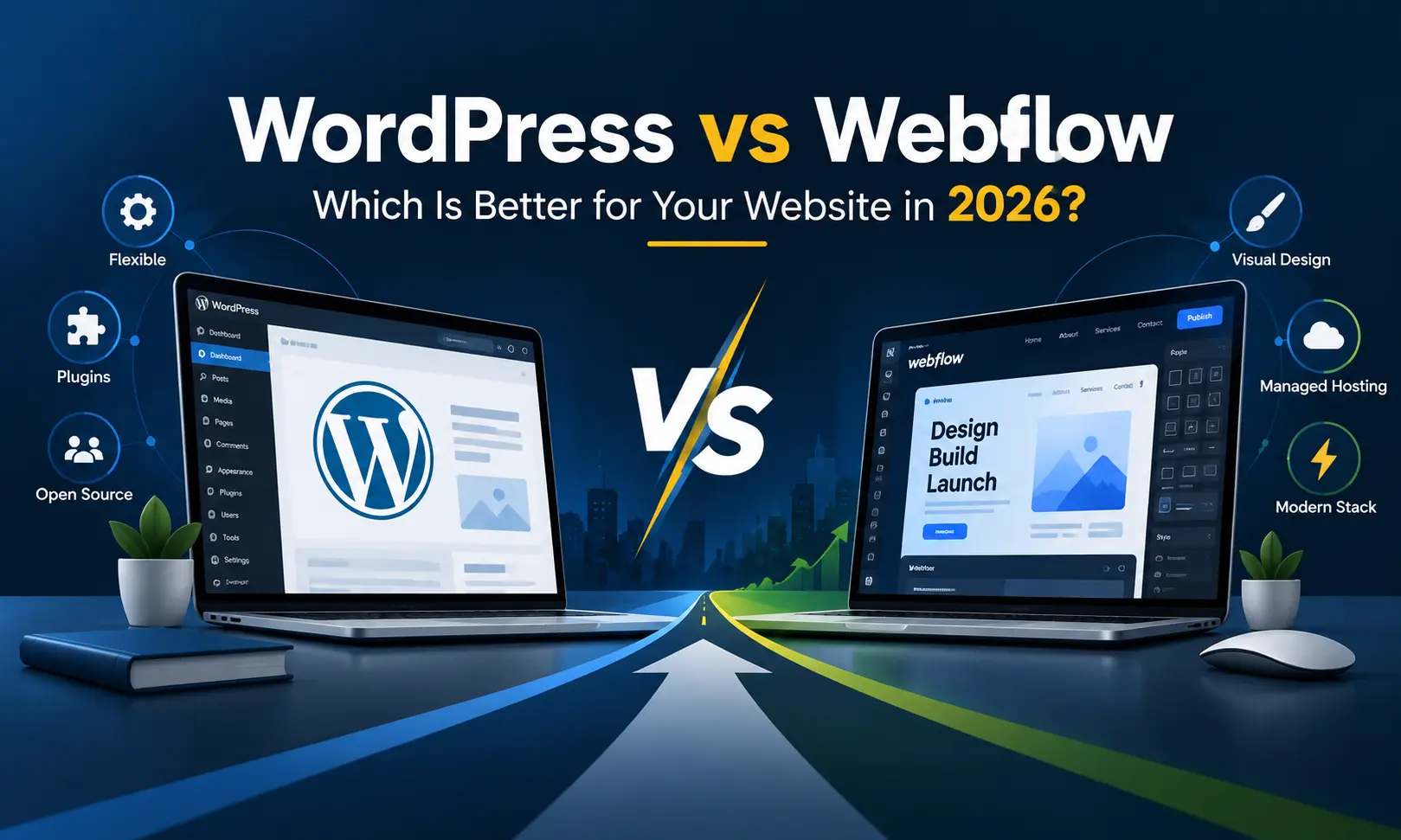
WordPress is an open-source content management system with a huge ecosystem of themes, plugins, developers and custom development possibilities. Webflow takes a visual-first approach, bringing design, CMS capabilities and hosting into a more controlled platform.
So, which one is better?
The honest answer is: there is no universal winner. The better choice depends on what you are building, who will manage it, how much custom functionality you need, how much control you want and where you expect the website to go over the next few years.
This guide compares WordPress and Webflow from a practical business perspective, rather than simply listing a collection of features. If you are planning a website in 2026, the aim is to help you understand where each platform makes sense and where you may need something beyond a standard platform.
WordPress vs Webflow at a Glance
Before getting into the details, here is the simplest way to look at the two platforms.
- WordPress: An open-source CMS known for flexibility, extensibility and a large ecosystem.
- Webflow: A visual website platform that combines visual design, CMS functionality and managed hosting.
- WordPress is generally more flexible when a website requires custom functionality, integrations or unusual business logic.
- Webflow is particularly attractive when visual control, design workflows and managed hosting are major priorities.
- Neither platform automatically guarantees better SEO. Technical implementation, content, website architecture, speed, links and ongoing optimisation still matter.
- Neither platform is automatically cheaper. The actual cost depends on development, hosting, plugins, integrations, maintenance and future changes.
That last point is important. Comparing only the platform subscription or hosting fee can give you a very misleading picture of the actual cost of owning a website.
What Is WordPress?
WordPress is an open-source content management system that has been around since 2003. It is used for everything from small business websites and blogs to large publishing websites and more complex web projects.
One of WordPress's biggest strengths is its ecosystem. The core software provides the foundation, while themes, plugins and custom development can be used to add functionality.
The official WordPress project describes the platform as flexible enough for blogs, business websites, portfolios, portals, communities and applications. Its plugin and theme systems also allow developers to extend the platform rather than being restricted to what exists in the core installation.
This makes WordPress interesting for businesses that do not want their website to remain a simple brochure forever.
A company may start with ten pages today and later require a blog, careers section, product catalogue, customer login, booking system, CRM integration, quotation system, multilingual content or a completely custom administration area.
WordPress can often be extended to accommodate such changes.
What Is Webflow?
Webflow takes a different route.
Instead of starting with an open-source CMS and adding hosting and functionality around it, Webflow provides a visual website-building environment where design, CMS capabilities and hosting are closely connected.
This approach is particularly attractive to designers and teams that want strong visual control without building every page from code.
Webflow provides visual interactions, CMS functionality, custom code options and managed hosting. Its current platform also includes features around AI, AEO, analytics, localisation and Webflow Cloud, depending on the plan.
The result is a more controlled environment.
That can be a major advantage for some projects. It can also become a consideration when a business eventually asks for functionality that sits outside the platform's natural workflow.
WordPress vs Webflow: The Real Difference
The biggest difference is not actually the visual editor.
It is the philosophy behind the platforms.
WordPress gives you a foundation and a large ecosystem around it. You decide the hosting environment, theme approach, plugins, integrations and level of custom development.
Webflow gives you a more unified environment. Design, CMS and hosting are brought together, reducing the number of moving pieces you have to manage yourself.
Think of it this way:
- WordPress gives you a larger toolbox.
- Webflow gives you a more controlled workshop.
Neither description is inherently better. The right choice depends on what you intend to build inside that workshop.
WordPress vs Webflow for Website Design
Design is one of the areas where Webflow gets considerable attention.
Webflow is built around visual design, allowing designers to work directly with layouts, styles, interactions and responsive behaviour. For teams where the visual appearance of the website is central to the project, this can make the design process very appealing.
WordPress can also produce highly polished websites, but the final experience depends heavily on how the site is built.
A WordPress website can use:
- A ready-made theme
- A premium theme
- A block-based design system
- A visual page builder
- A custom theme
- A completely custom front-end implementation
That last option changes the conversation completely.
A custom WordPress website does not have to look like a typical WordPress website. A developer can build the front-end around the brand's exact requirements and use WordPress primarily as the content management layer.
So, if someone says WordPress websites all look similar, that is not really a limitation of WordPress itself. It is usually a limitation of the development approach used for that particular project.
WordPress vs Webflow for SEO
SEO is one of the most searched comparison points between WordPress and Webflow.
But there is a common mistake here: treating the CMS as if it is the entire SEO strategy.
It is not.
Google does not rank a website simply because it was built with WordPress or Webflow. Search visibility depends on many factors, including content quality, search intent, technical implementation, page experience, internal linking, structured data, crawlability, authority and the overall quality of the website.
WordPress provides a large ecosystem for SEO work. The platform supports search-friendly structures and can be extended through SEO plugins and custom development. WordPress's official documentation also highlights features such as permalinks and the availability of SEO plugins.
Webflow also provides control over important on-page and technical SEO elements. Its current plans include SEO metadata controls, and the platform provides features around technical SEO and search indexing.
For a simple corporate website, either platform can support a good SEO setup.
For a large SEO-driven website, however, the question becomes more interesting.
You need to consider:
- How easily can URLs be structured?
- How will redirects be managed?
- How flexible is the CMS architecture?
- Can custom schema be implemented?
- Can content types be created around your SEO strategy?
- Can developers modify the technical layer when requirements change?
- How easily can integrations be connected?
- How much control will the marketing team have?
For businesses where SEO is a major acquisition channel, these questions are often more important than whether the platform has a particular visual editor.
Is WordPress Better Than Webflow for SEO?
There is no blanket answer.
WordPress can provide extensive SEO flexibility because its open architecture allows developers and plugins to modify many aspects of the website. WordPress also supports custom post types, taxonomies, metadata and APIs, which can be useful when building a larger content architecture.
Webflow provides many SEO controls within its visual platform and can be perfectly suitable for businesses that have a well-structured website and a sensible content strategy.
The more useful question is not “Which platform ranks better?” but:
Which platform allows your team to implement the SEO architecture your business actually needs?
WordPress vs Webflow for Website Speed
Website speed is another area where people sometimes expect a simple winner.
In reality, platform choice is only one part of the equation.
A badly configured WordPress website with a heavy theme, excessive plugins, oversized images and poor hosting can be slow.
A carefully developed WordPress website with clean code, sensible caching, optimised assets and suitable infrastructure can perform very well.
The same principle applies to Webflow. A visual platform does not magically make every website fast. Images, animations, third-party scripts, page structure and implementation choices still influence the experience.
For a business website, speed should therefore be treated as a development requirement rather than a platform slogan.
WordPress vs Webflow for Security
Security is another area where context matters.
WordPress is widely used, which makes it an attractive target for automated attacks. The platform itself provides security updates, but website owners also have to pay attention to themes, plugins, hosting, passwords, backups and configuration.
WordPress supports automatic updates for plugins and themes, although administrators still need sensible update, backup and maintenance practices.
Webflow reduces some of the infrastructure work because hosting is part of the platform. This means a business does not have to independently assemble the same collection of hosting, server and CMS components.
For a small business that does not want to think about server maintenance, this can be appealing.
For a company that needs deep server-level control, however, a managed platform may feel restrictive compared with owning the infrastructure and application stack.
WordPress vs Webflow: Plugins and Integrations
This is where WordPress has a very large ecosystem.
The official WordPress plugin directory contains thousands of plugins covering areas such as SEO, security, e-commerce, caching, forms, content management and many other functions.
This makes WordPress particularly useful when you want to connect a website to different systems.
For example, a business website may need:
- CRM integration
- Payment gateway integration
- WhatsApp integration
- Lead management
- Booking functionality
- Membership functionality
- Marketing automation
- Advanced forms
- Custom product management
- Third-party APIs
Webflow also supports integrations and APIs, and its current platform provides CMS APIs and other developer-oriented capabilities.
The difference is that WordPress has a much broader history as an open ecosystem where developers routinely build plugins and custom extensions directly around the CMS.
WordPress vs Webflow for Customisation
This is perhaps the most important section for businesses with unusual requirements.
If your requirement is simply:
- Home page
- About page
- Services
- Portfolio
- Blog
- Contact page
Both WordPress and Webflow can handle the job.
But suppose your website needs a completely different workflow.
Imagine a manufacturer needs a product enquiry system where visitors select multiple products, upload technical documents, choose application categories, submit a quotation request and automatically send the information to different sales teams.
Or imagine a travel company needs a package management system with custom availability, enquiry rules, destination filtering, agent login and administrative workflows.
Now the question changes.
You are no longer asking, “Which website builder is better?”
You are asking, “Which technology can accommodate our business process without forcing the business to work around the platform?”
This is where custom website development becomes an important third option.
WordPress vs Webflow for Business Websites
For a straightforward company website, both platforms can work well.
For example, a professional services company may need a polished website with service pages, case studies, blog content, enquiry forms and team information.
Webflow can be a strong fit when the company places significant emphasis on visual design and wants a controlled managed environment.
WordPress can be a strong fit when the company expects its website to grow into a larger content or business platform.
There is another consideration that is often ignored: who will own the website's future?
A website is rarely a one-time project. Content changes. Services change. marketing strategies change. New integrations are added. New landing pages are required. Sometimes the entire business model changes.
The platform should therefore be selected with the next three to five years in mind, not just the launch date.
WordPress vs Webflow for Small Businesses
For a small business, simplicity matters.
You may not have an internal developer. You may want to update pages yourself. You may have a limited marketing budget. You may also want to add features later without rebuilding the entire website.
Webflow can be attractive when you want a controlled visual editing experience and do not want to manage a traditional hosting and plugin stack.
WordPress can be attractive when you want a huge ecosystem and the option to add functionality as the business grows.
The important point is not to choose based purely on what another business is using.
A restaurant, a manufacturing company, a SaaS company, a law firm and an e-commerce business may all need completely different website architectures even if all five call themselves “business websites”.
WordPress vs Webflow for Blogging and Content Marketing
Content-heavy businesses need to think beyond publishing the first fifty articles.
Consider a company planning to publish hundreds of articles, industry guides, case studies, location pages, product resources and FAQs.
WordPress has a long history as a publishing platform and provides extensive content management capabilities. Its architecture also allows developers to create custom post types, taxonomies and metadata for more structured publishing requirements.
Webflow's CMS can also manage structured content through collections and related CMS features. Current Webflow plans include substantial CMS capacity, with limits varying by plan.
For a normal company blog, either can work.
For a large publishing operation, however, you should map your future content architecture before choosing the platform.
WordPress vs Webflow for E-commerce
E-commerce makes the comparison more complicated.
An online store is not simply a collection of product pages. It involves product management, inventory, payments, shipping, taxation, customer accounts, order processing, discounts, reports and integrations.
WordPress can be extended into an e-commerce platform through solutions such as WooCommerce and additional custom development.
Webflow also provides e-commerce capabilities, but businesses should examine the exact requirements before committing to the platform.
If your online store has conventional requirements, either platform may be suitable.
If the store requires unusual business logic, complex integrations or a highly specialised ordering workflow, custom development may deserve serious consideration.
WordPress vs Webflow Pricing in 2026
Pricing is one of the areas where many comparisons become outdated quickly.
Webflow changed its pricing structure in 2026, including changes to Site plans and CMS limits. Its current published pricing shows different plans for different website requirements, with prices quoted in US dollars and taxes applicable at checkout.
WordPress itself is open-source software, but that does not mean a WordPress website costs nothing.
You may have costs for:
- Domain registration
- Web hosting
- Premium themes, if required
- Premium plugins, if required
- Website development
- Custom programming
- Security and maintenance
- Backups
- Third-party services
Webflow similarly has subscription costs, while development, design, integrations and additional services can form part of the overall project cost.
Therefore, comparing only “WordPress is free” with “Webflow has a monthly fee” is not a useful business calculation.
The better calculation is:
Initial development + platform/hosting + maintenance + integrations + future changes = practical website cost.
Which Is Easier to Maintain: WordPress or Webflow?
Webflow can reduce some of the routine infrastructure responsibility because the hosting environment is managed as part of the platform.
With WordPress, the site owner or development team generally has more responsibility for the hosting environment, plugins, themes, backups, updates and security practices.
This is both an advantage and a responsibility.
If you want control, WordPress gives you more room to work.
If you want fewer infrastructure decisions, Webflow's managed model can be attractive.
The right question is not simply which one requires less maintenance. It is whether the level of control you are getting is worth the maintenance responsibility for your business.
WordPress vs Webflow for Developers
Developers tend to look at these platforms differently from business owners.
A business owner may ask, “Can I edit this page?”
A designer may ask, “Can I create this interaction?”
A developer may ask, “Can I modify the architecture when the requirements change?”
WordPress provides extensive developer access through its theme system, plugin architecture, hooks, APIs and custom content structures. The official WordPress project specifically documents its plugin and theme systems as developer extension points.
Webflow also provides developer-facing tools, APIs, custom code and integrations. However, its model is more controlled than a traditional self-hosted open-source CMS.
For developers who want to build unusual functionality deep inside the website stack, this distinction can be significant.
When Webflow Makes Sense
Webflow can make sense when your priorities look something like this:
- You want strong visual control over the website.
- Your website is primarily a marketing or corporate website.
- You want managed hosting.
- Your team prefers visual website creation.
- You do not need a large amount of custom backend functionality.
- You want a controlled design system.
- Your content structure fits comfortably within the CMS.
- You prefer a platform-based workflow instead of managing a traditional open-source stack.
For these situations, Webflow can be a very practical choice.
When WordPress Makes Sense
WordPress may make more sense when your requirements look like this:
- You need extensive content management.
- You expect the website to grow substantially.
- You need custom post types or specialised content structures.
- You need multiple third-party integrations.
- You want access to a large plugin ecosystem.
- You require custom development.
- You want more control over hosting and infrastructure.
- You are building an SEO-heavy content website.
- You may eventually turn the website into a larger web application.
WordPress's open-source nature is particularly useful when the project needs to move beyond the boundaries of a standard website. The software can be modified and extended under its GPL licence.
When Neither WordPress Nor Webflow Is the Right Answer
This is the part that many platform comparison articles skip.
Sometimes the correct answer is neither.
If your website is actually a business application disguised as a website, forcing it into a conventional website builder can create problems later.
Consider requirements such as:
- Custom customer dashboards
- Dealer or distributor portals
- Advanced booking systems
- Complex quotation workflows
- Custom product configurators
- Multi-level user permissions
- ERP or CRM integration
- Custom payment workflows
- Real-time data processing
- Industry-specific administration systems
- Custom APIs
- Specialised reporting dashboards
In such cases, a custom-developed website or web application can provide a cleaner path.
Instead of asking the business to adjust its process to fit a platform, the development can be planned around the actual business process.
Custom Website Development vs WordPress vs Webflow
There is a useful three-way distinction to make.
- Webflow: Excellent when visual website creation and a managed platform are central requirements.
- WordPress: Excellent when you need a flexible CMS with a huge ecosystem and room for development.
- Custom development: Suitable when the website needs unique functionality, specialised workflows or a brand experience that should not be squeezed into a conventional template.
If your requirement is simply to launch a professional company website, there is no reason to make the project unnecessarily complicated.
But if your business has a distinctive workflow or you want the website itself to become an important part of your competitive identity, custom development deserves a closer look.
What About a Unique Brand Experience?
This is another point worth considering.
Many businesses start with a template because it is quick. The problem appears later when the website starts looking remarkably similar to dozens of other websites in the same industry.
A website is not only a technical platform. It is also part of how a company presents itself.
If your brand requires unusual layouts, custom interactions, special calculators, product configurators, custom enquiry journeys or a completely different way of presenting information, a custom-developed website may be more appropriate than trying to force everything into an existing visual framework.
If you have a custom or unusual requirement, or simply want a more distinctive brand feel rather than another standard-looking website, W3 Dream Solutions, based in Bangalore, India, can help with custom website development for businesses in India and clients globally.
W3 Dream Solutions focuses on custom website development and can work on websites where the requirement goes beyond a basic template or standard business website.
WordPress vs Webflow: What Should a Business Decide First?
Before choosing the platform, write down what the website actually needs to accomplish.
Do not start with the question, “Should we use WordPress or Webflow?”
Start with these questions:
- Who is the website for?
- What action should visitors take?
- How many pages will the website have initially?
- How much content will be published every month?
- Will the website require customer accounts?
- Will it connect to external software?
- Will there be custom forms or workflows?
- Will the website generate leads?
- How important is SEO to customer acquisition?
- Who will maintain the website?
- What functionality may be required two years from now?
Once these answers are clear, the platform decision becomes considerably easier.
WordPress vs Webflow: A Practical Comparison
- Design control: Webflow has a strong visual design workflow; WordPress can achieve equally distinctive results through custom development.
- CMS flexibility: WordPress offers extensive content modelling and extension options; Webflow provides structured CMS functionality within its platform.
- SEO: Both can support SEO; implementation quality matters more than the platform name.
- Plugins: WordPress has a very large plugin ecosystem.
- Hosting control: WordPress provides greater infrastructure freedom; Webflow uses a managed hosting model.
- Maintenance: Webflow removes some infrastructure maintenance; WordPress requires more active management.
- Custom functionality: WordPress provides extensive extension possibilities, while a fully custom application may be preferable for highly specialised requirements.
- Scalability: Both can support serious websites, but the type of scaling required should determine the architecture.
- Cost: Neither should be judged only by the platform fee. Development and long-term ownership costs matter.
- Future flexibility: WordPress generally gives developers more freedom to modify the underlying system.
So, WordPress or Webflow in 2026?
If you want a visually controlled marketing website with managed hosting and your requirements fit naturally within the platform, Webflow can be a sensible option.
If you want a flexible CMS, a huge extension ecosystem and more freedom to add custom functionality over time, WordPress can be a strong choice.
If your requirement is highly specific, your business process is unusual, or you want the website to feel genuinely different from standard industry websites, the discussion should move beyond WordPress versus Webflow.
That is where custom website development enters the picture.
The smartest website decision is not necessarily the platform with the longest feature list. It is the platform or technology approach that fits the business requirement without creating unnecessary restrictions later.
Final Thoughts
WordPress and Webflow are both capable platforms, but they solve the website-building problem in different ways.
WordPress leans towards openness, extensibility and a vast development ecosystem. Webflow leans towards visual control, managed infrastructure and a more unified website-building experience.
For a straightforward business website, either can work very well.
For a growing website, the decision should be based on content, integrations, SEO requirements, maintenance expectations and future functionality.
And for a business that wants something genuinely distinctive, there is no rule saying you must choose a website builder at all.
Sometimes the best website is the one built around your business rather than the business being adjusted around the website platform.
If your project needs a custom website, unusual functionality, a distinctive brand experience or a development approach built around your specific business requirements, W3 Dream Solutions in Bangalore provides custom website development services for businesses in Bangalore, India and clients globally.
Other Blogs
Subscribe
Get the latest blog updates directly in your inbox.