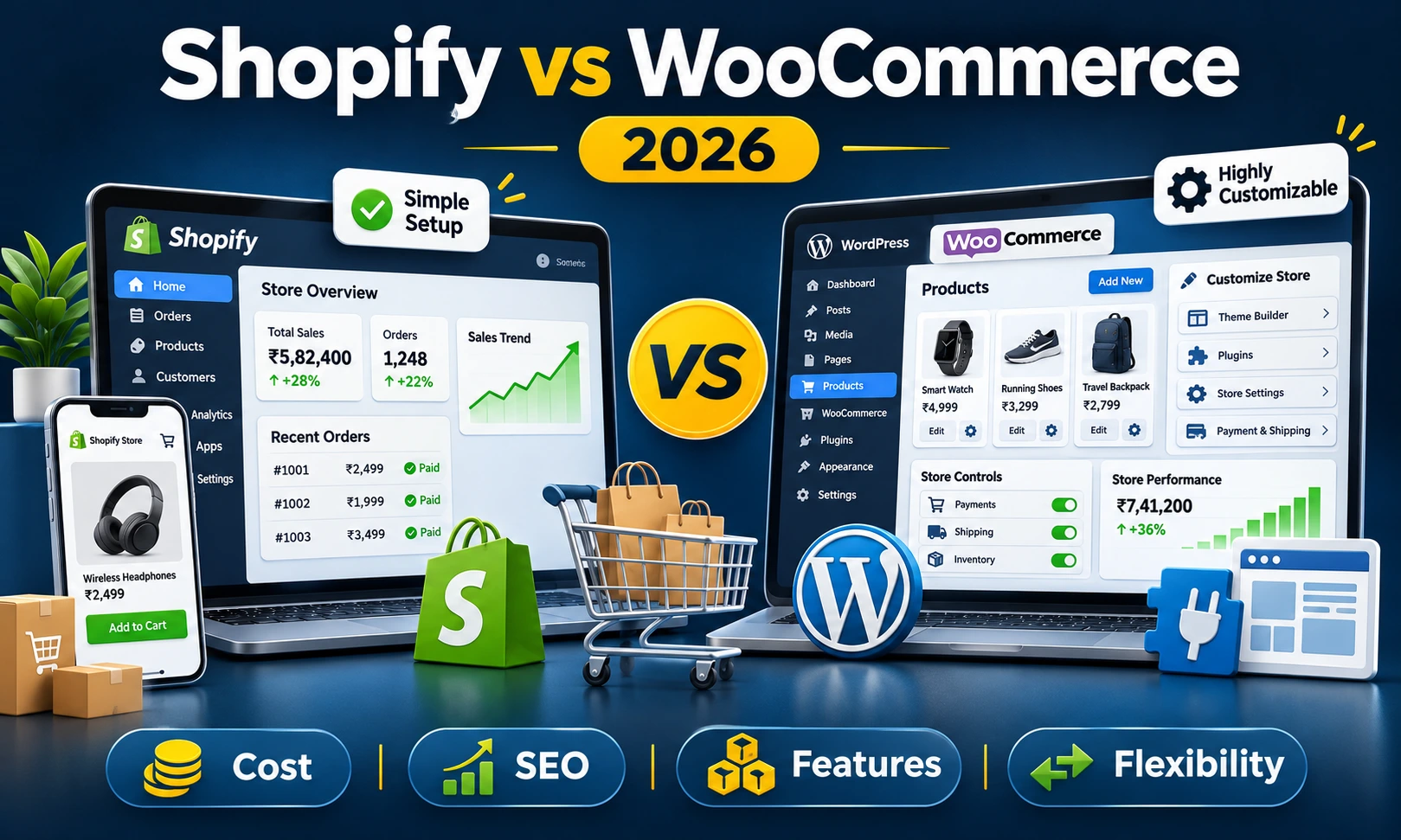



Shopify vs WooCommerce in 2026: Which Platform Deserves Your Investment?
Launching an online store in India is no longer just about uploading product photos and accepting payments. Customers expect quick-loading pages, convenient UPI payments, accurate delivery information, clear return policies and an easy checkout experience.
For business owners, the decision starts much earlier: which e-commerce platform should run the store?
Two names appear repeatedly in this discussion: Shopify and WooCommerce.
Both can power a professional online business, but they operate in very different ways.
Shopify offers a subscription-based commerce platform where hosting, core store management and much of the technical infrastructure are included. WooCommerce is an open-source e-commerce solution built for WordPress, giving businesses greater control over their website, hosting environment and custom functionality.
Imagine two Bangalore-based businesses preparing to sell online.
The first is a fashion startup with 80 products, a small team and a deadline to launch before the festive shopping season. The owners want to manage orders without becoming involved in server administration.
The second is an industrial supplier selling 4,000 products with dealer-specific prices, quotation requests, GST invoicing requirements and ERP integration.
Both need an e-commerce website, but the same platform may not be the best choice for both.
Shopify is generally a strong choice for businesses that prefer easier day-to-day management and predictable platform infrastructure. WooCommerce is attractive for businesses that want more technical control, flexible workflows and freedom to select their own hosting and development approach.
However, the real decision involves more than ease of use. Subscription fees, payment charges, search engine visibility, maintenance, security and future changes can influence what the store costs over several years.
Let's compare Shopify and WooCommerce in 2026 from the perspective of Indian businesses.
What Is Shopify?
Shopify is a hosted e-commerce platform that allows businesses to create and manage online stores through a subscription service.
It provides tools for adding products, managing inventory, processing orders, configuring payments, applying discounts and viewing store reports.
Hosting, core platform updates and the underlying commerce infrastructure are handled by Shopify.
This arrangement can be useful for businesses that want to concentrate on merchandising, sales and customer service rather than managing web servers.
Shopify also offers themes, an app marketplace, marketing tools, sales channel integrations and options for businesses selling through physical and online locations.
Important Shopify features include:
- Hosted online store
- Product and inventory management
- Shopping cart and checkout
- Order management dashboard
- Discounts and promotional offers
- Customer profiles
- Mobile-friendly store themes
- Marketing and analytics tools
- Third-party app integrations
- SSL and managed hosting
Shopify is suitable for many startups, consumer brands, online retailers and businesses that prefer a managed commerce environment.
However, advanced customisation may depend on the selected plan, app availability and Shopify's supported development interfaces.
What Is WooCommerce?
WooCommerce is a free, open-source e-commerce platform built for WordPress.
It converts a WordPress website into an online store with product listings, shopping carts, checkout functionality, order management and other commerce features.
Unlike Shopify, WooCommerce does not require a subscription fee for its core plugin.
However, the business is responsible for arranging hosting, maintaining the website and managing extensions or development work.
This gives store owners greater freedom to choose their technology environment and customise business functionality.
Important WooCommerce features include:
- Open-source commerce software
- WordPress content management
- Physical and digital product selling
- Product variations and categories
- Flexible payment gateway integration
- Custom checkout and business workflows
- Shipping and tax configuration
- Plugin and extension support
- Custom themes and design options
- Control over website hosting and data
WooCommerce is particularly useful for businesses that already use WordPress or require custom website functionality alongside e-commerce.
Its flexibility is valuable, but the quality of the final store depends on its hosting, theme, plugins and technical maintenance.
Shopify vs WooCommerce: Quick Comparison for 2026
Before examining individual features, here is a practical overview of the differences.
| Comparison Factor | Shopify | WooCommerce |
|---|---|---|
| Platform Type | Hosted subscription platform | Open-source WordPress plugin |
| Core Software Cost | Paid subscription | Free |
| Web Hosting | Included | Purchased separately |
| Initial Setup | Generally easier | Requires more technical configuration |
| Customisation | Within Shopify's supported framework | Extensive code-level flexibility |
| SEO | Built-in SEO features | Flexible WordPress SEO ecosystem |
| Payment Gateways | Supported third-party providers | Supported gateway plugins and APIs |
| Platform Transaction Fees | May apply with third-party gateways | No WooCommerce platform transaction fee |
| Maintenance | Core infrastructure managed by Shopify | Store owner or developer manages maintenance |
| Security | Managed platform security | Shared responsibility with store owner and host |
| Content Management | Built-in content features | Full WordPress content management |
| Best Suited For | Businesses preferring managed operations | Businesses needing technical flexibility |
Neither platform is automatically superior. The right choice depends on your business model, transaction volume and willingness to manage technical responsibilities.
Shopify vs WooCommerce Pricing in India (2026)
Price is often the first factor Indian businesses consider when choosing an e-commerce platform.
However, comparing Shopify's subscription fee with WooCommerce's free plugin does not reveal the actual cost of running either store.
Businesses should consider subscription or hosting charges, development costs, payment processing, extensions and ongoing maintenance.
Shopify Pricing in India
As listed on Shopify's India pricing page in November 2026, its main subscription plans have the following standard rates.
| Shopify Plan | Monthly Billing | Annual Billing (Monthly Equivalent) |
|---|---|---|
| Basic | ₹1,994 | ₹1,499 |
| Grow | ₹7,447 | ₹5,599 |
| Advanced | ₹30,164 | ₹22,680 |
| Plus | Contract-based | From ₹1,75,000 |
These figures represent platform subscription rates and may change. Promotional offers, applicable taxes, apps, domains and payment charges should be considered separately.
For a small business, Shopify Basic may provide enough functionality to begin selling online.
However, stores using third-party payment providers must also evaluate Shopify's additional transaction charges.
WooCommerce Pricing in India
WooCommerce's core software is free to download and use, but a functioning business website requires additional infrastructure.
Typical cost categories include:
- Domain registration
- Website hosting
- Store design and development
- Premium themes where required
- Paid plugins or extensions
- Payment gateway processing charges
- Security, backups and maintenance
For an Indian small-business store, the following annual operating allowances can be useful for initial planning.
| WooCommerce Expense | Illustrative Annual Budget |
|---|---|
| Domain Name | ₹800 – ₹1,500 |
| Hosting | ₹6,000 – ₹36,000 |
| Premium Themes or Extensions | ₹0 – ₹25,000+ |
| Technical Maintenance | ₹6,000 – ₹36,000+ |
These are illustrative Indian budgeting allowances, not official WooCommerce prices. Development, major redesigns, payment processing and applicable taxes are excluded.
A small store using efficient hosting and limited plugins may operate with relatively low recurring costs.
A busy WooCommerce store requiring dedicated infrastructure, multiple integrations and regular developer support can cost considerably more.
Which Platform Is Cheaper Over Three Years?
The initial setup cost can be misleading when evaluating an e-commerce business.
A platform that costs less in the first month may become more expensive after subscription upgrades, additional applications or transaction charges.
Consider two hypothetical stores operating for three years.
Example 1: Shopify Basic Store
Assume the business selects Shopify Basic with annual billing at ₹1,499 per month.
- Annual platform subscription: ₹17,988
- Three-year platform subscription: ₹53,964
- Optional apps, domain and development: Additional
- Payment processing and applicable third-party transaction fees: Additional
The ₹53,964 figure covers only the platform subscription over three years at an unchanged rate.
Example 2: WooCommerce Store
Suppose a WooCommerce business spends ₹15,000 annually on hosting and domain registration, ₹10,000 on paid extensions and ₹15,000 on technical maintenance.
- Annual operating allowance: ₹40,000
- Three-year operating allowance: ₹1,20,000
- Initial design and development: Additional
- Payment processing and major upgrades: Additional
These examples do not demonstrate that one platform is always cheaper.
WooCommerce costs can be much lower for a well-maintained simple store, while Shopify expenses can increase significantly for stores using many paid apps or processing substantial sales through third-party gateways.
The useful comparison is not free software versus a monthly subscription. It is the total cost of ownership for the features your business actually needs.
Shopify vs WooCommerce: Ease of Use
Shopify: Easier for Non-Technical Teams
Shopify is designed to give store owners a central place to manage products, orders, discounts and day-to-day operations.
Its hosted environment removes the need to select a separate web server or manage routine WordPress updates.
For a business owner without technical experience, this can reduce operational distractions.
A fashion retailer, for example, can concentrate on uploading new arrivals, processing orders and running promotional offers.
WooCommerce: More Flexibility, More Responsibility
WooCommerce uses the WordPress administration environment.
Businesses familiar with WordPress may find product management and content editing straightforward.
However, hosting configuration, plugin compatibility, backups and troubleshooting may require technical assistance.
WooCommerce can be easy to manage after a developer has configured it properly, but its maintenance responsibilities remain greater than those of a managed hosted platform.
Verdict: Shopify generally wins for straightforward day-to-day management. WooCommerce is attractive when a business has technical support or requires greater control.
Shopify vs WooCommerce for SEO: Which Is Better?
Search engine visibility is an important consideration for Indian e-commerce businesses that want customers to discover products through Google.
Both Shopify and WooCommerce can support effective e-commerce SEO.
The difference lies in how much control each platform provides and how the store is implemented.
Shopify SEO Capabilities
Shopify provides features for editing important search information, including page titles, meta descriptions, product URLs and image descriptions.
It also supports redirects, sitemaps and many common technical SEO requirements.
Additional applications can assist with structured data, redirects, product feeds and other marketing tasks.
However, Shopify uses certain predefined URL patterns, and some technical customisation is restricted by its platform architecture.
Businesses with unusual URL requirements or extensive custom data structures may need to work within these limitations.
WooCommerce SEO Capabilities
WooCommerce benefits from WordPress's content management and SEO ecosystem.
Businesses can use suitable SEO plugins, manage editorial content, organise product categories and configure URL structures.
Developers also have extensive control over templates, structured data and other technical elements.
This can be useful for stores with large product catalogues or content-led marketing strategies.
However, installing an SEO plugin does not guarantee good rankings.
Poor hosting, duplicate category pages, slow themes and unnecessary plugins can damage the overall search experience.
Which Platform Wins for Google Rankings?
Neither Shopify nor WooCommerce receives automatic preference from Google simply because of the platform name.
Search performance depends on factors such as:
- Useful product descriptions
- Logical category structures
- Internal linking
- Website performance
- Mobile usability
- Indexable product pages
- Correct canonical URLs
- Structured product information
- Original images and content
- Site authority and competition
Verdict: WooCommerce provides greater technical and content-level flexibility. Shopify offers a practical SEO foundation with less infrastructure management. Both can rank well when implemented properly.
Shopify vs WooCommerce for UPI and Payment Gateways in India
Payment processing deserves particular attention because Indian e-commerce customers frequently use UPI, cards, net banking and cash on delivery.
Both platforms can integrate supported Indian payment providers, but their fee structures differ.
Payment Gateways on Shopify
Indian Shopify merchants can use compatible third-party payment providers such as Razorpay, subject to provider eligibility and integration requirements.
Shopify Payments is available only in supported countries, so India-based merchants should verify current availability rather than assuming that features advertised internationally are available to them.
Shopify may charge an additional third-party transaction fee depending on the selected plan and payment method.
As of November 2026, Shopify's India pricing page lists:
- Basic: 2% third-party transaction fee
- Grow: 1% third-party transaction fee
- Advanced: 0.6% third-party transaction fee
- Plus: 0.2% third-party transaction fee
These platform fees are separate from any charges collected by the payment gateway itself. Their applicability depends on Shopify's transaction fee rules and the selected payment method.
Payment Gateways on WooCommerce
WooCommerce allows merchants to integrate supported payment providers through compatible plugins or APIs.
For example, businesses can integrate a supported Razorpay payment gateway extension and configure the payment methods available through their merchant account.
WooCommerce does not impose an additional platform-level transaction percentage simply because the store uses a third-party payment gateway.
However, the payment provider's own processing fees and applicable taxes remain payable.
Example: Payment Charges on ₹5 Lakh Monthly Sales
Suppose an online store processes ₹5,00,000 of eligible sales in one month through a third-party payment gateway.
At Shopify Basic's listed 2% third-party transaction rate, the illustrative additional platform fee would be:
₹5,00,000 × 2% = ₹10,000.
This is before the gateway's own processing charges and any applicable taxes.
For WooCommerce, the equivalent WooCommerce platform transaction fee would be ₹0, although gateway processing charges would still apply.
This comparison assumes all transactions are subject to the stated Shopify fee. Actual charges may differ because of payment methods, exemptions, refunds, and Shopify's fee calculation rules.
Verdict: WooCommerce can offer a cost advantage for Indian merchants processing substantial eligible payments through third-party gateways. Shopify merchants should calculate total transaction charges before choosing a plan.
Shopify vs WooCommerce for GST and Indian Tax Invoices
GST configuration is another important requirement for Indian online businesses.
Store owners may need to manage product tax categories, GST calculations, invoice details and accounting records.
The exact requirements depend on the business structure, products, transaction types and applicable tax rules.
GST Management in Shopify
Shopify provides tax configuration features and supports additional applications for selected invoicing and reporting requirements.
Businesses may need suitable apps or integrations for India-specific invoice formats, HSN information, accounting workflows and related tax documentation.
Availability and functionality should be checked before selecting an application.
GST Management in WooCommerce
WooCommerce allows businesses to configure tax classes and tax calculation rules.
Additional plugins or custom development may be used for GST-related invoice information and accounting integration.
WooCommerce offers considerable flexibility for businesses that need specialised invoicing or billing workflows.
However, correct tax configuration remains the business owner's responsibility.
Verdict: Both platforms can support Indian tax workflows. WooCommerce provides greater flexibility for custom requirements, while Shopify may be convenient when a suitable app already supports the business process.
GST rates and compliance obligations should always be confirmed with a qualified tax professional.
Shopify vs WooCommerce: Website Speed and Performance
A slow product page can frustrate shoppers before they even reach the checkout.
Website performance depends on image sizes, theme quality, scripts, integrations, caching and infrastructure.
Shopify Performance
Shopify manages the underlying hosting infrastructure, which removes much of the server administration work from merchants.
Its managed environment can provide a dependable foundation for ordinary store traffic.
However, a poorly designed theme, large product images or excessive third-party scripts can still make a Shopify storefront slow.
WooCommerce Performance
WooCommerce performance depends heavily on the selected hosting environment and website implementation.
With suitable server resources, caching, database optimisation and a lightweight theme, WooCommerce can provide fast storefront performance.
On the other hand, inexpensive hosting with too many plugins can create slow pages and unreliable checkout behaviour.
Verdict: Shopify makes infrastructure performance easier to manage. WooCommerce offers more infrastructure control but requires proper technical planning.
Shopify vs WooCommerce: Design and Customisation
Designing a Store with Shopify
Shopify provides themes that businesses can configure according to their brand identity.
Developers can modify supported theme components and build custom storefront experiences using Shopify's development tools.
However, certain backend and checkout modifications are limited by the platform and subscription plan.
Designing a Store with WooCommerce
WooCommerce allows extensive control over the website's appearance and functionality.
Developers can create custom WordPress themes, product templates, checkout workflows and business integrations.
This is useful when a store does not follow an ordinary retail selling process.
For example, a B2B supplier may need customer-specific prices, quotation approval, bulk ordering and special account permissions.
These requirements can be implemented through suitable plugins or custom development.
Verdict: WooCommerce offers more freedom for code-level customisation. Shopify is convenient when the required features fit its supported theme, app and API ecosystem.
Shopify vs WooCommerce: Security and Maintenance
Security is especially important for e-commerce websites because they process customer information and financial transactions.
Shopify Security
Shopify manages the underlying hosted platform, core infrastructure and many technical security responsibilities.
Its platform includes SSL support and PCI-related security arrangements.
Store owners must still protect staff accounts, manage permissions and evaluate the applications they install.
WooCommerce Security
WooCommerce website security is a shared responsibility involving the business, hosting provider and technical team.
Important activities include:
- WordPress and plugin updates
- Secure hosting configuration
- Regular website backups
- Administrative access controls
- Malware and vulnerability monitoring
- Secure payment integration
- Testing before major updates
A well-maintained WooCommerce website can be secure, but neglected installations create unnecessary risks.
Verdict: Shopify generally requires less infrastructure maintenance. WooCommerce gives greater control but places more technical responsibility on the website operator.
Shopify vs WooCommerce for Large Product Catalogues
Businesses with thousands of products need accurate category structures, inventory management, search filters and efficient product administration.
Both Shopify and WooCommerce can support large catalogues, but implementation requirements differ.
Shopify for Large Catalogues
Shopify provides centralised product and inventory management along with support for product variants, collections and relevant integrations.
Businesses should review applicable product and variant limits, app requirements and API restrictions before planning unusual catalogue structures.
WooCommerce for Large Catalogues
WooCommerce can support extensive catalogues when the website has suitable hosting, database performance and efficient product management.
Businesses may develop custom product fields, filters, bulk import tools and integrations.
However, large catalogues can become difficult to manage if the website relies on inefficient plugins or underpowered hosting.
Verdict: Both platforms are capable. Shopify reduces infrastructure management, while WooCommerce is attractive for catalogues requiring unusual data structures and custom workflows.
Shopify vs WooCommerce for B2B E-commerce
B2B e-commerce often operates differently from ordinary retail shopping.
Wholesale buyers may expect negotiated pricing, bulk quantities, credit arrangements and purchase approvals.
Some businesses also need dealer accounts, quotation requests or ERP integration.
Shopify for B2B Businesses
Shopify offers B2B capabilities and supports additional third-party applications.
The available functionality depends on the plan and the required features.
Businesses should verify whether their pricing rules, customer groups, catalogues and checkout requirements are supported.
WooCommerce for B2B Businesses
WooCommerce can be configured with wholesale pricing, account-specific product visibility, enquiry forms and custom ordering processes.
This makes it useful for manufacturers, distributors and other businesses requiring specialised sales workflows.
However, extensive customisation requires development and maintenance.
Verdict: WooCommerce is often worth considering for specialised B2B requirements. Shopify can also be effective when the relevant functionality is supported by its plan and integration options.
Shopify vs WooCommerce for Dropshipping and D2C Brands
Direct-to-consumer brands often prioritise product presentation, marketing campaigns, order fulfilment and repeat purchases.
Shopify can be useful for teams that want to manage these activities through a hosted platform with compatible applications.
WooCommerce may suit brands that want deeper control over website content, product presentation and custom customer journeys.
For dropshipping businesses, the choice also depends on supplier integrations, inventory synchronisation, shipping arrangements and returns management.
Neither platform guarantees a profitable dropshipping business.
Product selection, supplier reliability, fulfilment costs and customer acquisition remain critical.
Which Platform Is Better for Small Businesses in India?
Small businesses should choose a platform based on their operating capacity rather than following what larger brands use.
Choose Shopify When:
- You want to launch an online store quickly.
- Your team has limited technical experience.
- You prefer managed hosting and platform updates.
- You need standard retail features.
- You are comfortable with subscription and applicable transaction charges.
- You want a centralised environment for daily store operations.
Choose WooCommerce When:
- You already have a WordPress website.
- You want greater control over hosting and website code.
- Your business requires custom product or checkout functionality.
- You have access to reliable technical support.
- You want flexibility in selecting plugins and integrations.
- You need specialised content or B2B workflows.
For a small retail startup, Shopify may be easier to operate.
For an established business with specialised processes, WooCommerce may provide greater development flexibility.
Shopify vs WooCommerce for Indian E-commerce Businesses: Industry Examples
Fashion and Clothing Stores
A fashion brand with standard product variations, seasonal collections and promotional campaigns may find Shopify convenient.
WooCommerce can also work well when the business needs unusual product options or detailed content-based marketing.
Electronics and Accessories
Electronics stores often need product comparisons, technical specifications, warranty details and advanced filtering.
WooCommerce may provide useful flexibility for custom product information, while Shopify can be practical when suitable apps already meet these requirements.
Furniture and Home Interiors
Furniture stores may need custom dimensions, finish selections, delivery restrictions and quotation requests.
WooCommerce can be attractive when product configuration and order workflows need extensive customisation.
Beauty and Personal Care
D2C beauty brands may prioritise subscription products, repeat purchases, marketing campaigns and customer retention.
Both platforms can support these models, but specific subscription and payment gateway compatibility should be verified for India.
B2B Manufacturing and Wholesale
Manufacturers may require bulk ordering, dealer-specific pricing, GST documentation and integration with existing management software.
WooCommerce is worth considering for these requirements because of its code-level flexibility.
Shopify may also be suitable when the business can use its supported B2B tools.
When Should You Move from Shopify to WooCommerce?
Some businesses begin with Shopify and later discover that their requirements have become more specialised.
A move to WooCommerce may be worth examining when:
- Recurring application and transaction charges have become significant.
- The business needs extensive custom backend functionality.
- Content management requirements have become more complicated.
- The company wants greater control over hosting.
- Existing software integrations are difficult to implement within current Shopify limitations.
However, migration introduces costs and operational risks.
Product data, customers, order history, URL structures, redirects and payment configurations need careful attention.
Businesses should calculate migration expenses and ongoing maintenance requirements before switching platforms.
When Should You Move from WooCommerce to Shopify?
WooCommerce businesses may consider Shopify when technical maintenance becomes difficult or the existing website frequently experiences operational problems.
Reasons may include:
- Frequent plugin conflicts
- Unreliable hosting
- Limited internal technical resources
- Difficulty managing updates and security
- A preference for managed commerce infrastructure
However, migrating to Shopify may require replacing custom WordPress features with compatible applications or new development.
Before switching, businesses should check whether their existing functions can be reproduced and what the recurring costs will be.
How to Migrate an Online Store Without Losing Important SEO Value
Changing e-commerce platforms can affect website URLs, product information and search engine indexing.
A migration should be treated as a technical project rather than a simple product export.
Important activities include:
- Recording existing product and category URLs
- Exporting product and customer data safely
- Preserving useful product descriptions
- Mapping old URLs to new destinations
- Implementing permanent 301 redirects where appropriate
- Checking canonical URLs
- Preserving relevant metadata
- Testing product structured data
- Verifying payment and order workflows
- Submitting updated XML sitemaps
- Monitoring Google Search Console after launch
Not every customer account detail, password or historical record can necessarily be transferred in the same form.
Migration plans should account for platform limitations and customer communication.
Even a carefully managed migration can produce temporary search ranking changes while search engines process the updated website.
Common Mistakes to Avoid When Choosing an E-commerce Platform
Choosing WooCommerce Only Because It Is Free
WooCommerce's core plugin has no licence cost, but hosting, custom development and maintenance still require investment.
Choosing Shopify Without Calculating Transaction Fees
For Indian stores using third-party payment gateways, platform transaction charges may materially affect operating expenses.
Installing Too Many Applications or Plugins
Unnecessary add-ons can increase expenses, complicate maintenance and sometimes affect website performance.
Ignoring GST and Accounting Requirements
A business should confirm its invoicing, tax configuration and reporting needs before selecting extensions or applications.
Assuming Better SEO Comes Automatically from the Platform
Search engine performance depends on website implementation, useful content, technical quality and competition.
Ignoring Long-Term Maintenance
The platform should remain manageable as products, orders, integrations and customer expectations increase.
How to Choose Between Shopify and WooCommerce: A Practical Decision Process
Step 1: Define Your Business Model
Identify whether you are selling ordinary retail products, digital products, subscriptions, wholesale goods or configurable items.
Step 2: List Essential Store Features
Document product types, payment methods, shipping rules, GST requirements, customer accounts and software integrations.
Step 3: Estimate Your Monthly Sales
Calculate projected transaction volume and payment processing costs, including applicable platform charges.
Step 4: Decide Who Will Manage the Website
Consider whether your team can handle hosting, updates and technical troubleshooting or whether a managed platform is preferable.
Step 5: Calculate Three-Year Ownership Costs
Compare subscriptions, hosting, development, extensions, maintenance and payment charges rather than looking only at launch expenses.
Step 6: Test Your Most Important Business Workflow
Before making the final decision, verify the features that are essential to your operations.
For example, test GST invoices, wholesale pricing, cash-on-delivery rules or the required shipping integration.
Shopify vs WooCommerce in 2026: Our Final Comparison
After examining pricing, features and operational requirements, the platform decision becomes clearer.
| Business Requirement | Platform Worth Considering First |
|---|---|
| Fast setup with managed hosting | Shopify |
| Extensive code-level customisation | WooCommerce |
| Less infrastructure maintenance | Shopify |
| Custom WordPress content strategy | WooCommerce |
| Specialised B2B workflows | WooCommerce or suitable Shopify B2B plan |
| Standard D2C retail store | Either, based on operating costs |
| Control over hosting environment | WooCommerce |
| Managed security infrastructure | Shopify |
| Lower third-party platform transaction charges | WooCommerce |
| Extensive technical flexibility | WooCommerce |
These recommendations are general starting points rather than universal rules. The final choice depends on specific project requirements.
E-commerce Website Development Services in Bangalore
Choosing an e-commerce platform is an important business decision because the website must support not only product sales but also inventory, payments, shipping, customer communication and future requirements.
Some businesses need a straightforward retail store that can be launched quickly. Others require custom product configurations, wholesale pricing, account management or integration with existing software.
W3 Dream Solutions is a Bangalore-based website, software and mobile app development company working with businesses on custom digital solutions.
Businesses planning a new online store or evaluating an existing platform can explore the company's website development services at W3 Dream Solutions.
For businesses exploring a connected mobile commerce experience, the company's mobile app development services may also be relevant.
Final Verdict: Shopify or WooCommerce for Your Online Store in 2026?
Shopify and WooCommerce are both capable e-commerce platforms, but they solve the website ownership problem in different ways.
Shopify reduces the responsibility of managing hosting and core technical infrastructure. It is attractive for businesses that want to concentrate on products, marketing and store operations.
WooCommerce provides greater control over the website environment, custom development and business workflows. It can be particularly useful for businesses with unusual requirements or an existing WordPress ecosystem.
For Indian merchants, payment gateway fees deserve special attention. Shopify's third-party transaction charges can become significant as eligible sales increase, while WooCommerce does not charge an additional platform transaction percentage.
However, WooCommerce may require a larger commitment to hosting management, technical maintenance and security.
The best decision is therefore not determined by which platform has more features or which one appears cheaper on the first day.
It depends on how you want to operate the store, what features your customers need and how much control your business requires.
Shopify gives businesses a managed place to sell. WooCommerce gives businesses greater freedom to build. The better choice is the one that supports your business without creating unnecessary costs or complications.
Before choosing either platform, compare the complete three-year cost, test your essential workflows and ensure the system can support your next stage of business growth.
Other Blogs
Subscribe
Get the latest blog updates directly in your inbox.