
How Much Does It Cost to Develop an AI Chatbot for a Website?
Imagine a customer visiting your website at 11:45 PM. They want to know whether your company delivers to their location, how much a particular service costs, or whether someone can arrange a consultation the following morning.
Your office is closed. Your sales team is offline. But the customer is ready to make an enquiry.
This is where an AI chatbot can make a meaningful difference.
Instead of displaying a generic contact form or asking visitors to return during business hours, an AI chatbot can answer questions, explain services, collect enquiries and guide customers towards the next step.
For businesses in India, particularly in competitive markets such as Bangalore, Mumbai, Hyderabad and Pune, website chatbots are becoming a practical addition to digital customer service.
However, one question usually comes before everything else:
How much does it cost to develop an AI chatbot for a website?
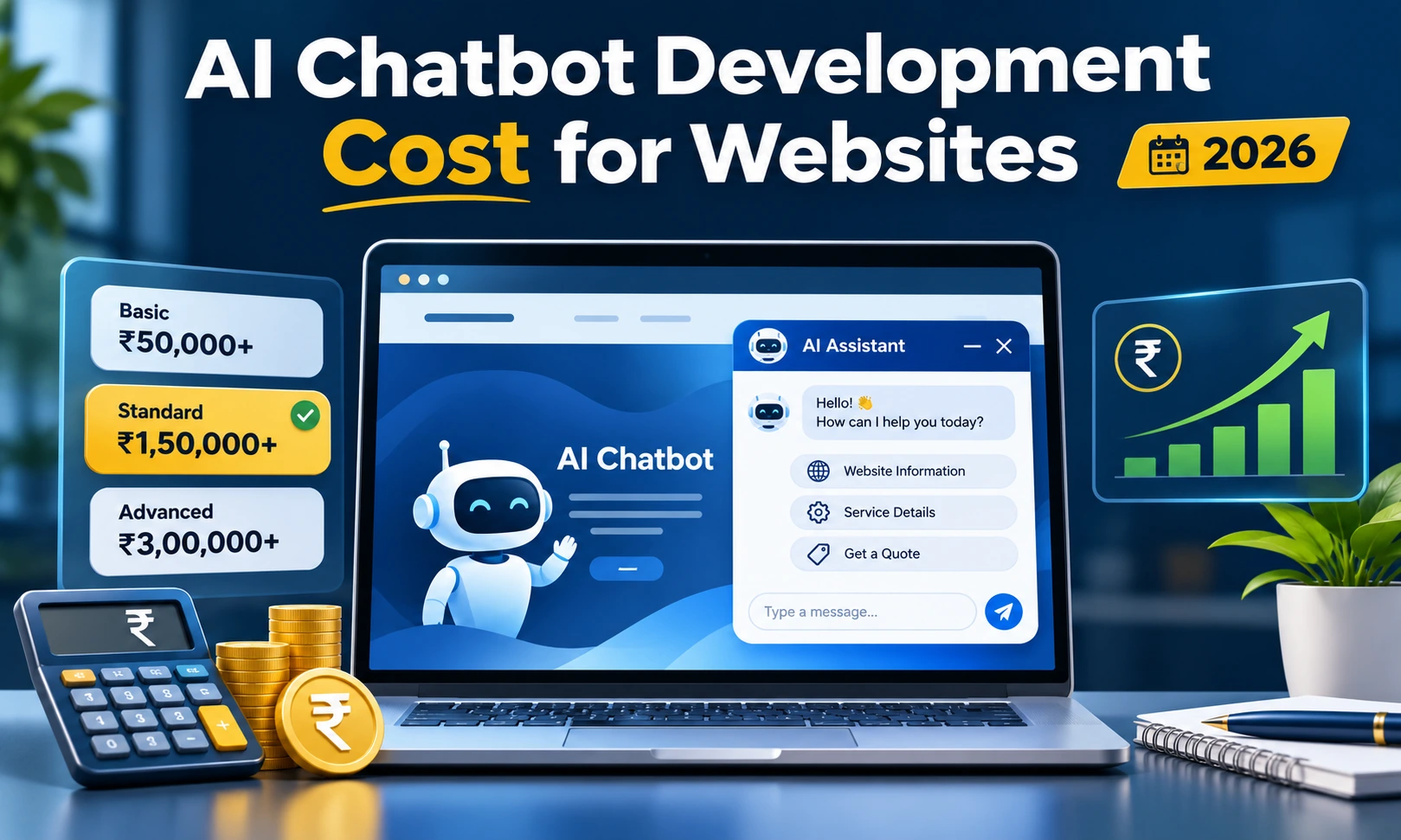
In India, developing a basic AI-powered website chatbot may cost approximately ₹25,000 to ₹75,000, while a more capable chatbot connected to company information and business systems can cost anywhere from ₹75,000 to ₹7,00,000 or more.
Advanced enterprise chatbots involving multiple departments, secure data access and extensive integrations can exceed ₹10 lakh.
The final investment depends on what the chatbot needs to understand, how it should respond, which systems it can access, and how frequently visitors interact with it.
Let's examine where the money goes, which features genuinely matter, and how businesses can avoid paying for functionality they may never use.
What Exactly Is an AI Chatbot for a Website?
An AI chatbot is a conversational software application that interacts with website visitors through a chat window.
Unlike traditional chat tools that depend on predefined questions and fixed responses, an AI-powered chatbot can interpret natural language and respond to a wider variety of customer enquiries.
For instance, a visitor might ask:
-
"Do you develop Android applications for startups?"
-
"Can I book a consultation for Saturday?"
-
"What is the delivery charge for my area?"
-
"Which flooring option is suitable for a commercial office?"
-
"Can you help me understand your pricing?"
A properly configured AI chatbot can interpret these questions, identify relevant business information, and provide useful answers.
Depending on its capabilities, it may also recommend products, collect contact details, check appointment availability, create support tickets or connect visitors with a human representative.
The important distinction: A chatbot that answers general questions and a chatbot that retrieves live order information are not the same development project.
The second requires greater technical planning, secure system connections, error handling and testing. Naturally, its development cost will be higher.
AI Chatbot Development Cost in India: 2026 Price Breakdown
There is no universal price for developing an AI chatbot. Different businesses require different levels of functionality.
The following estimates provide a practical starting point for budgeting.
| AI Chatbot Type | Estimated Development Cost |
|---|---|
| Basic AI FAQ Chatbot | ₹25,000 – ₹75,000 |
| AI Website Chatbot with Business Knowledge | ₹75,000 – ₹2,50,000 |
| Custom AI Chatbot with CRM/API Integration | ₹2,50,000 – ₹7,00,000 |
| Advanced Enterprise AI Chatbot | ₹7,00,000 – ₹20,00,000+ |
These figures are indicative Indian development estimates for 2026, not fixed market tariffs. Subscription platforms may have lower initial costs, while complex enterprise projects may cost substantially more. Hosting, AI API usage, maintenance, taxes and third-party services are generally additional unless included in the quotation.
1. Basic AI FAQ Chatbot — ₹25,000 to ₹75,000
A basic AI chatbot is suitable for small businesses that want to answer common website enquiries.
It can be configured with information about services, working hours, locations, contact details and frequently asked questions.
Typical features include:
-
AI-powered customer conversations
-
Answers based on selected website information
-
Simple chat interface
-
Basic lead collection
-
Contact form integration
-
Email notifications
-
Standard website installation
Best suited for: Local service providers, small business websites, consultants and early-stage startups.
This is often a sensible starting point for businesses that receive repetitive enquiries but do not require extensive backend connectivity.
2. Business Knowledge AI Chatbot — ₹75,000 to ₹2,50,000
A business knowledge chatbot goes beyond answering a fixed collection of questions.
It can retrieve information from company documents, service descriptions, product catalogues, policies and other approved content.
For example, an interior design company could use it to explain its design process, service categories, consultation procedures and project requirements.
A software development company might use the same approach to answer questions about technologies, project processes and available services.
Possible features include:
-
Conversational AI integration
-
Company-specific knowledge base
-
Document and website content retrieval
-
Lead qualification
-
Conversation history
-
Basic administrator controls
-
Human support handover
-
Answer quality testing
Best suited for: Established service businesses, educational institutions, healthcare administration websites, B2B companies and customer support portals.
This category is especially useful when customers ask questions that cannot be handled effectively through simple menu-based responses.
3. Custom AI Chatbot with Business Integrations — ₹2,50,000 to ₹7,00,000
A chatbot becomes more valuable when it can communicate with the systems a business already uses.
Consider an e-commerce customer asking:
"Where is my order?"
A basic chatbot may only explain how to track orders.
A properly integrated chatbot can securely verify the customer, retrieve the actual order status and provide the latest information.
Similar capabilities can be developed for appointment bookings, customer enquiries, service requests and internal business operations.
Common features include:
-
CRM integration
-
Order and shipment tracking
-
Appointment booking
-
Customer authentication
-
Product or service recommendations
-
Support ticket creation
-
Custom API connections
-
Administrator dashboard
-
Conversation reporting
Best suited for: E-commerce businesses, travel booking websites, real estate portals, logistics companies and organisations with recurring customer requests.
Development costs increase because the system must manage real information accurately, handle failed API requests and protect sensitive customer data.
4. Advanced Enterprise AI Chatbot — ₹7,00,000 to ₹20,00,000+
Enterprise-level AI chatbots generally operate across several business functions.
They may serve customers, employees, vendors or authorised business partners through different access levels.
An advanced chatbot may support multiple languages, integrate with numerous internal systems, retrieve permission-controlled documents and manage complicated workflows.
Possible capabilities include:
-
Multiple business system integrations
-
Role-based access controls
-
Multilingual conversations
-
Advanced knowledge retrieval
-
Workflow automation
-
Audit logs and monitoring
-
High-volume conversation handling
-
Escalation to specialised departments
-
Detailed reporting and analytics
These projects require architecture planning, access controls, extensive testing and ongoing technical support.
Best suited for: Large organisations, multi-location businesses, enterprise portals and companies managing substantial customer interaction volumes.
Why Do AI Chatbot Development Prices Vary So Much?
A chatbot's visible interface is usually the smallest part of the project.
The real development effort sits behind the conversation window.
Two chatbots may appear almost identical on a website, yet their technical architecture and cost can be completely different.
Here are the factors that influence the investment.
1. The Chatbot's Actual Responsibility
The first question is not which AI model to use.
It is what the chatbot should accomplish.
Answering basic questions, collecting enquiries and sending notifications are relatively straightforward tasks.
Checking live inventory, updating customer records, processing appointment changes or performing authorised business actions introduces additional development work.
The greater the responsibility, the more carefully the system must be designed and tested.
2. AI Model and API Selection
AI chatbots can use language models available through providers such as OpenAI, Google and Anthropic.
Each provider offers different models, pricing structures, speed characteristics and capabilities.
Some models are suitable for routine customer enquiries, while others are designed for more demanding reasoning or complicated workflows.
For many business websites, selecting a cost-efficient model is more practical than using the most expensive model for every interaction.
AI API pricing can also change over time, so businesses should evaluate current provider charges before finalising their monthly budget.
3. Business Knowledge and Content Preparation
A chatbot must have access to accurate business information to answer company-specific questions reliably.
This information may come from:
-
Website pages
-
Product descriptions
-
Service documents
-
Company FAQs
-
Pricing information
-
PDF documents
-
Internal knowledge bases
If the information is outdated, inconsistent or scattered across several files, additional work will be required before the chatbot can use it effectively.
This is an often-overlooked part of AI chatbot development.
A well-organised knowledge base can reduce incorrect answers and make future updates easier.
4. Custom Website Interface
The appearance of the chatbot also affects the budget.
A standard floating chat window is generally less expensive than a completely custom interface featuring product cards, appointment forms, file attachments, language selection and other interactive elements.
Design requirements should be based on how customers will actually use the chatbot.
An attractive interface is useful, but it should not come at the expense of speed, accessibility or mobile usability.
5. Third-Party Integrations
Integrations can have a substantial impact on chatbot development costs.
Connecting a chatbot to a CRM, booking engine, ERP platform, inventory system or support desk requires additional backend work.
Developers must also account for authentication, API limitations, inconsistent responses and unexpected errors.
A chatbot connected to five business systems will generally require more work than one operating from a single approved knowledge base.
6. Multilingual Support
Indian businesses often serve customers who are more comfortable communicating in regional languages.
An AI chatbot may need to support English, Hindi, Kannada, Tamil, Telugu or other languages.
Although modern language models can understand many languages, dependable business conversations still require testing.
Product terminology, local expressions, mixed-language messages and company-specific wording must be checked carefully.
Adding multiple languages can increase testing, content preparation and maintenance costs.
7. Privacy, Security and Access Control
Security requirements become particularly important when a chatbot handles personal information, customer records or internal business data.
A business chatbot may require encrypted connections, access restrictions, secure API authentication, retention policies and controls preventing users from accessing information they are not authorised to view.
These requirements should be considered during development rather than added only after launch.
What Is the Monthly Cost of Running an AI Chatbot?
The development quotation is only one part of the financial picture.
Once the chatbot goes live, it may generate recurring expenses for AI processing, servers, monitoring and software maintenance.
For a small or medium-sized business website, a practical initial planning allowance may be ₹2,000 to ₹15,000 per month.
More active websites, premium AI models and heavily integrated solutions may require ₹15,000 to ₹50,000 or considerably more.
Here is an illustrative monthly budget.
| Expense | Estimated Monthly Cost |
|---|---|
| AI API Usage | ₹500 – ₹8,000 |
| Hosting and Database | ₹500 – ₹5,000 |
| Monitoring and Supporting Services | ₹500 – ₹3,000 |
| Maintenance and Content Updates | ₹1,000 – ₹10,000 |
| Illustrative Combined Range | ₹2,500 – ₹26,000 |
These are planning allowances, not mandatory minimum charges. Some services may be bundled, and small-volume chatbots can cost less. High-traffic deployments may exceed these ranges.
Understanding AI API Usage Charges
Most commercial AI APIs charge according to the text or other content processed by the model.
For text conversations, usage is commonly measured in tokens.
Tokens represent pieces of text. The chatbot consumes input tokens when processing the user's question, instructions, conversation history and retrieved content. It generates output tokens when producing its answer.
For example, suppose your website handles:
-
1,000 chatbot conversations per month
-
10 AI responses per conversation
-
1,500 input tokens per response
-
300 output tokens per response
This would produce approximately:
15 million input tokens and 3 million output tokens per month.
If your chosen model hypothetically costs $0.25 per million input tokens and $2 per million output tokens, the model-processing expense would be:
-
Input: $3.75
-
Output: $6.00
-
Total: $9.75 per month
This is an arithmetic illustration using hypothetical rates, not a promised quote or the complete monthly running cost.
Actual usage depends on the selected model, its current pricing, conversation length, hidden reasoning charges where applicable, tool calls and other factors.
Hosting, knowledge retrieval, database services, monitoring and developer support may cost significantly more than the raw text-generation charges.
The lesson is simple: a higher chatbot development quote does not automatically mean a higher AI API bill. They are separate cost components.
Ready-Made Chatbot vs Custom AI Chatbot: Which Is Better?
Businesses generally have two options when introducing AI chat to an existing website.
They can subscribe to a ready-made chatbot platform or invest in a custom-developed application.
Both approaches have advantages.
Ready-Made AI Chatbot Platforms
Subscription-based chatbot services are usually faster to introduce.
They may provide a prebuilt interface, basic AI features, conversation management and reporting tools.
Some platforms allow website owners to configure a chatbot without extensive coding.
Advantages:
-
Lower initial investment
-
Faster implementation
-
Prebuilt administration tools
-
Suitable for standard customer enquiries
Limitations:
-
Ongoing subscription charges
-
Platform-specific restrictions
-
Limited customisation on certain plans
-
Additional charges for advanced features or conversation volume
This approach makes sense when the requirement is straightforward and the platform already covers most business needs.
Custom AI Chatbot Development
A custom AI chatbot is developed around specific business processes and technical requirements.
It may use a third-party language model while retaining a separately developed interface, backend, knowledge system and business integrations.
Advantages:
-
Greater control over interface and functionality
-
Flexibility to connect business systems
-
More control over application-level data management
-
Freedom to add new features as requirements change
-
Ability to select or change supported AI providers
Considerations:
-
Higher initial development expense
-
Technical maintenance responsibility
-
Continued third-party AI and infrastructure charges
-
Additional testing when systems change
Custom development becomes worthwhile when the chatbot needs to perform work that an ordinary subscription tool cannot handle effectively.
Industry-Wise AI Chatbot Development Cost Examples
The following scenarios show how chatbot requirements can affect development budgets across different Indian businesses.
E-commerce Website — ₹80,000 to ₹4,00,000
An online store can use an AI chatbot for product discovery, return policy questions, delivery information and customer assistance.
A more advanced version may connect with the store's product catalogue, inventory and order management system.
Features such as live order tracking and authenticated customer support generally increase development complexity.
Real Estate Website — ₹60,000 to ₹2,50,000
A property business can use a chatbot to answer project questions, explain property configurations and record buyer requirements.
It may collect preferred locations, property budgets and contact details before passing qualified enquiries to the sales team.
Integration with property listings, site-visit schedules and a CRM can increase the cost.
Healthcare Website — ₹80,000 to ₹4,00,000
Hospitals and clinics can introduce AI chatbots for department information, service enquiries, visiting hours and appointment assistance.
Chatbots that access patient information require additional privacy, authentication and security controls.
They should not be presented as replacements for medical professionals or relied upon to make independent medical decisions.
Educational Institution — ₹50,000 to ₹2,00,000
Colleges, coaching centres and training institutes can use AI chatbots to answer admission-related questions.
The system can provide course information, eligibility details, fee structures, application procedures and campus contact information.
More complicated systems may connect to admission databases or student portals.
Travel and Hotel Booking Website — ₹1,00,000 to ₹5,00,000
Travel businesses can use AI assistants to help visitors explore destinations, understand packages and submit booking enquiries.
Connections to live hotel availability, booking engines, pricing systems and customer accounts require additional development.
B2B and Manufacturing Website — ₹75,000 to ₹3,00,000
Manufacturers and B2B suppliers often receive enquiries about product specifications, minimum order quantities, delivery locations and quotations.
An AI chatbot can provide approved product details and collect essential requirements before forwarding enquiries to the appropriate team.
For businesses handling large catalogues or technical documentation, a well-maintained knowledge system becomes particularly important.
All industry examples are indicative budgets. The actual cost depends on the selected functionality, available APIs, data quality and security requirements.
How Does an AI Chatbot Actually Work Behind the Website?
Understanding the basic technical process helps business owners evaluate development proposals.
A typical AI chatbot follows a sequence of connected operations.
Step 1: A visitor submits a question.
The visitor interacts with the chatbot through the website's chat interface.
Step 2: The backend receives and validates the request.
The application checks the request, applies relevant access controls and prepares the information required for processing.
Step 3: Relevant business information is retrieved.
If the chatbot uses a business knowledge base, the system searches approved documents or data sources for information related to the question.
A common approach is called Retrieval-Augmented Generation, or RAG.
Step 4: The AI model prepares a response.
The selected AI model receives the relevant instructions and available information before generating an answer.
Step 5: The response is checked and displayed.
The application applies relevant controls and returns the answer to the visitor.
Step 6: Important enquiries are handled appropriately.
If the visitor asks for a quotation, appointment or human assistance, the application may collect necessary details and forward the request through an approved integration.
For a simple chatbot, these operations can be relatively lightweight.
For a business-critical chatbot, additional safeguards, permission checks, logging and error recovery are essential.
What Features Should You Include in Your First AI Chatbot?
One common mistake is planning too many features before the chatbot has handled a single genuine customer enquiry.
A better approach is to identify the most frequent questions your business receives.
If customers regularly ask about service availability, pricing procedures, delivery locations or appointment bookings, begin with those enquiries.
A useful first version may include:
-
Answers based on approved business information
-
Enquiry and lead collection
-
Mobile-friendly chat interface
-
Basic conversation records
-
Human support handover
-
Administrator access to update important content
-
Clear responses when reliable information is unavailable
After launch, review real conversations to understand which features are genuinely needed.
You may discover that a better FAQ knowledge base provides more value than an expensive integration that visitors rarely use.
How Long Does It Take to Develop an AI Chatbot?
The development timeline depends on scope, technical complexity and the availability of business information.
Indicative project schedules include:
| Project Type | Estimated Timeline |
|---|---|
| Basic FAQ AI Chatbot | 1–2 weeks |
| Business Knowledge Chatbot | 2–5 weeks |
| Custom Chatbot with Integrations | 4–10 weeks |
| Advanced Enterprise Chatbot | 3–6 months or more |
These timelines assume that the website is already operational and the client can provide the required content, access and approvals without major delays.
Complex integrations, changing requirements and extensive security reviews may extend development.
Hidden Expenses Businesses Should Ask About
A chatbot proposal may look affordable until additional charges begin appearing after development.
Before accepting a quotation, clarify the following expenses.
Knowledge Base Updates
Who will update the chatbot when services, prices, documents or policies change?
Some systems require developer assistance, while others include an administrator interface for regular content updates.
AI API Subscription and Billing
Find out whether AI usage is billed directly to your own account or included in the development company's service.
Also ask how usage will be monitored and whether spending limits can be applied.
Hosting and Database Charges
Custom chatbots may require a server, database, document storage and other cloud services.
These should be included in the operational estimate.
Third-Party Integration Fees
CRM platforms, messaging services, booking systems and other applications may charge separate subscription or API fees.
Maintenance and Technical Support
The chatbot may need updates when API versions change, website code is modified or business workflows are revised.
Clarify the support period and what happens after it ends.
Security and Compliance Work
Businesses handling sensitive information may require additional access controls, audit records, data retention settings and security reviews.
These requirements should be discussed before development begins.
Five Practical Ways to Reduce AI Chatbot Development Costs
1. Give the Chatbot One Clear Job First
A chatbot that handles service enquiries accurately is more useful than an unfinished system attempting to manage every business function.
Begin with a focused requirement, test its effectiveness and expand based on genuine demand.
2. Reuse Your Existing Website Content
If your website already contains accurate service information and FAQs, those materials can become part of the chatbot's knowledge source.
This may reduce content preparation work.
However, outdated or contradictory information should be corrected before it enters the knowledge base.
3. Choose the AI Model According to the Task
Not every customer enquiry needs an expensive reasoning model.
A cost-efficient model may be sufficient for routine questions.
Model selection should consider response quality, speed, privacy requirements and operating cost rather than popularity alone.
4. Avoid Unnecessary System Connections
Connecting a chatbot to several business tools creates additional work and maintenance responsibility.
Start with integrations that directly improve customer experience or reduce manual effort.
5. Track Useful Outcomes, Not Just Chat Volume
A chatbot generating thousands of conversations is not necessarily delivering business value.
Measure whether it is helping customers find information, complete enquiries, book appointments or obtain support.
These outcomes provide a clearer basis for future investment.
Is an AI Chatbot Worth the Investment for a Small Business?
For some businesses, yes. For others, a simpler contact form or live chat system may be enough.
The decision depends on enquiry volume, customer behaviour, support workload and the type of information visitors need.
Consider a business that receives 600 customer enquiries every month.
Suppose an AI chatbot successfully handles 35% of those enquiries without requiring an employee to repeat the same information.
That represents 210 enquiries handled by the chatbot.
If each enquiry previously required an average of four minutes of staff time, the theoretical time saving would be:
210 × 4 minutes = 840 minutes, or 14 staff hours per month.
This is an illustrative calculation, not a guaranteed productivity improvement.
Real savings depend on the accuracy of the chatbot, the number of conversations requiring human follow-up and whether saved time can be put to productive use.
The benefits may also include faster initial responses, better after-hours enquiry collection and easier access to business information.
However, a chatbot should not be considered successful merely because it is available 24/7.
Its responses must be useful, accurate and relevant to the customer's situation.
Common Mistakes to Avoid When Developing an AI Chatbot
Treating Every Customer Question as an AI Problem
Some enquiries are better answered with direct website links, a clear pricing table or a properly structured FAQ page.
AI should be introduced where conversation genuinely improves the experience.
Giving the Chatbot Unverified Business Information
An AI model can produce a confident answer even when the underlying information is incomplete.
Restricting responses to approved business information and providing a way to escalate uncertain questions can reduce this risk.
Forgetting Mobile Visitors
A chatbot that works well on a desktop but covers the entire screen on a smartphone can frustrate customers.
Mobile usability, loading performance and accessibility should be tested before launch.
Ignoring Human Support
Customers should have a practical way to reach a person when the chatbot cannot resolve their issue.
A chatbot should reduce unnecessary effort, not create another obstacle.
Choosing Only by Development Price
The lowest quotation may exclude testing, documentation, maintenance or essential security work.
Compare what each proposal includes rather than looking only at its final amount.
Questions to Ask an AI Chatbot Development Company
Before finalising a development partner, ask for a clear explanation of the proposed solution.
Important questions include:
-
Which AI model or provider will be used?
-
Will the chatbot answer from our approved business content?
-
Can we update information without developer assistance?
-
How will customer enquiries reach our team?
-
What happens when the chatbot does not know an answer?
-
Who owns the application code and associated accounts?
-
How will customer information be protected?
-
Are AI API and hosting fees included?
-
What maintenance support is available after launch?
-
Can new integrations be introduced later?
A well-defined project scope makes it easier to compare quotations and avoid disputes during development.
AI Chatbot Development Services in Bangalore
Bangalore businesses increasingly operate across different customer channels, from traditional websites to online stores and specialised business portals.
For organisations planning to introduce AI-powered conversations, the first step should be understanding the actual business requirement rather than choosing a chatbot simply because competitors have one.
W3 Dream Solutions, a Bangalore-based website and software development company, works with businesses on custom websites, web applications, mobile applications and AI-related development requirements.
Businesses exploring chatbot integration can discuss how an AI assistant might fit into their existing website, customer enquiry process or software infrastructure.
For more information about the company's development services, visit W3 Dream Solutions.
Final Thoughts: What Should You Budget for an AI Chatbot in 2026?
An AI chatbot can be a useful investment when it solves a real communication or customer service problem.
For a small business website, an initial development budget of ₹25,000 to ₹75,000 may be sufficient for a focused chatbot.
Businesses requiring company-specific knowledge retrieval, customer management integration or advanced functionality should plan for a higher investment.
Enterprise projects can cost several lakhs or substantially more.
The smartest way to approach chatbot development is not to ask for every available AI feature.
Instead, identify the questions your customers ask most often, decide what information the chatbot can access, and determine which business tasks it should help complete.
A chatbot's value is not measured by how many conversations it can generate. It is measured by how many useful conversations it can handle correctly.
Build around that principle, and the technology has a much better chance of becoming a practical business asset rather than another recurring software expense.
Other Blogs
Subscribe
Get the latest blog updates directly in your inbox.