


How to Integrate UPI Payments into a Mobile App: Step-by-Step Process
A successful UPI integration starts with the business workflow, not the payment button. The development team must understand what the customer is paying for, when the order should be confirmed and how the system should respond if the bank takes longer than expected to return a result.
Here is a practical breakdown of the process.
Step 1: Define the payment requirements
Before development begins, decide how the app will collect money.
Questions to settle at this stage include:
-
Will customers pay for products, services, bookings or subscriptions?
-
Is payment required in full or only as an advance?
-
Will the app support refunds, partial refunds or cancellations?
-
Should customers be able to retry a failed payment?
-
Do you need to collect payments from customers, vendors or both?
-
Is automatic recurring collection required?
For instance, a travel booking app may need advance payments, cancellation refunds and a payment reference for every booking. A grocery app may need order-level payment tracking and support for refunds on individual orders.
These decisions influence the database structure, payment flow and development effort.
Step 2: Choose a suitable payment gateway
Compare established payment providers based on their UPI support, technical documentation, settlement terms, transaction fees and customer support.
Examples include Razorpay, Cashfree Payments and PhonePe Payment Gateway. Their available features and commercial terms can differ, so businesses should compare the current offers and eligibility requirements before selecting a provider.
Useful evaluation points include:
-
Android and iOS SDK availability
-
UPI intent and QR support
-
Server-side payment verification
-
Webhooks for transaction updates
-
Refund and reconciliation APIs
-
Sandbox testing facilities
-
Settlement reports and dispute support
-
Account onboarding and business verification
Step 3: Complete merchant onboarding
The business must complete the payment provider's onboarding process before accepting live transactions.
Depending on the provider and business structure, documents may include:
-
PAN and business registration details
-
Business owner or authorised signatory details
-
Bank account information for settlements
-
Website or app information
-
Business activity and product details
-
Address and contact information
-
Additional documents required for verification
Approval requirements vary by provider, entity type and business category. It is advisable to begin onboarding while the application is being developed, rather than waiting until the final testing stage.
Step 4: Configure the backend payment system
The mobile app should not independently decide whether a transaction has succeeded based only on a screen response.
A typical payment architecture includes the mobile app, the business backend and the payment gateway.
The backend creates or requests a payment order using the provider's API. It stores the relevant order reference, amount and payment status. The gateway then facilitates the selected UPI payment flow.
Sensitive credentials, such as secret API keys, should remain on the server rather than being embedded in the mobile application.
A simplified flow looks like this:
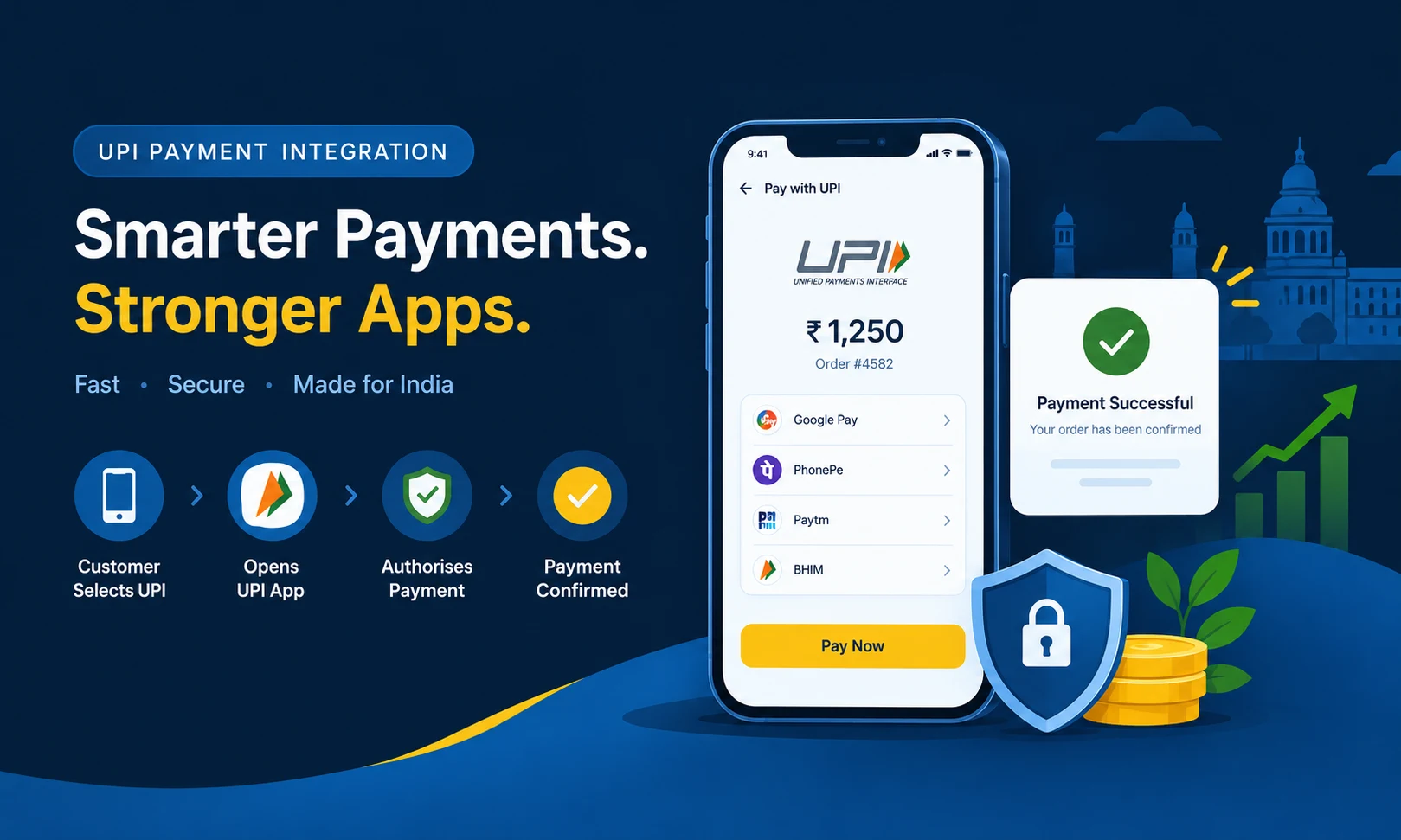
Customer → Mobile app → Business backend → Payment gateway → UPI payment authorisation → Verified payment result → Order confirmation
This arrangement gives the business a reliable record of each transaction and makes reconciliation easier.
Step 5: Build the UPI checkout screen
The checkout interface should clearly display the payable amount, order reference and available payment methods.
Depending on the provider, the customer may be offered a UPI intent flow, a QR code or another supported payment option.
Keep the screen focused. Customers should not have to navigate through unnecessary pages or wonder whether they have selected the correct order.
The application should also explain what to do if a payment remains pending, is cancelled or fails.
Step 6: Verify transaction status
This is one of the most important stages of UPI integration.
After the customer authorises a payment, the app may receive an immediate response, return to the foreground or wait for a later status update. A successful-looking redirect does not necessarily mean that the payment has been completed.
The backend should verify the transaction using the payment provider's documented API and authenticated webhook mechanism, where supported.
The application should also:
-
Match the transaction to the correct order.
-
Verify the amount and relevant payment references.
-
Process repeated webhook notifications safely.
-
Avoid creating duplicate orders when a request is repeated.
-
Handle pending transactions without marking them as successful.
-
Update the customer-facing order status only after the appropriate verification.
These checks help prevent situations where a customer sees an order confirmation even though the payment is still pending or unsuccessful.
Step 7: Implement refunds and payment reconciliation
Payment integration should not end after the first successful transaction.
The business needs a process for handling cancellations, refunds, disputed transactions and differences between order records and settlement reports.
For example, suppose a customer pays ₹1,500 for a service and later cancels it under the business's refund policy. The application should record the refund request, send it through the supported provider process and update the refund status after verification.
Refund processing times depend on the payment provider, bank and transaction circumstances.
Daily or periodic reconciliation should compare application records with gateway reports and settlement statements. This helps identify missing references, duplicate entries and transactions that need investigation.
Step 8: Test the integration before launch
Testing should cover more than a successful payment.
The development team should check:
-
Successful UPI payments
-
Declined and cancelled payments
-
Incorrect or expired payment requests
-
Slow responses and pending transactions
-
Customer closing the payment app before completion
-
Network interruptions
-
Duplicate requests and webhook notifications
-
Refund requests and status changes
-
App reopening after payment
-
Android and iOS compatibility
-
Order confirmation and transaction history
Use the provider's test environment before moving to live credentials. Test results should be recorded, and unresolved payment-status issues should be fixed before release.
UPI Payment Integration Cost in India (2026)
The cost of integrating UPI into a mobile app depends on the app's existing architecture, the chosen payment flow, the number of platforms and the level of transaction management required.
A simple payment gateway connection in an existing application is very different from building an e-commerce app with inventory, order management, refunds and a custom checkout experience.
The following figures are indicative development-budget estimates, not fixed market rates or quotations from W3 Dream Solutions. Actual costs depend on the project scope and the development team's estimate.
Estimated UPI integration development cost
| Integration scope | Estimated development cost |
|---|---|
| Basic UPI gateway integration in an existing app | ₹15,000–₹35,000 |
| Custom UPI checkout with backend verification | ₹30,000–₹65,000 |
| UPI integration for Android and iOS with shared backend | ₹45,000–₹90,000 |
| UPI integration with orders, refunds and reconciliation | ₹60,000–₹1,25,000 |
| Complex marketplace or multi-vendor payment workflows | ₹1,00,000–₹2,50,000+ |
These estimates cover payment-related development work at different levels of complexity. They do not represent the total cost of building a complete mobile application. They may also overlap because project requirements differ they are not separate mandatory charges.
A basic integration can cost less when the application already has a working backend and checkout system. A complex project can cost considerably more if it requires new APIs, extensive business rules, multiple integrations or additional compliance work.
What affects the integration cost?
1. Existing application architecture
If the app already has user accounts, orders and a working backend, the team may only need to add payment functionality and verification. If these systems need to be built from scratch, the estimate increases.
2. Android, iOS or both
Supporting two platforms may require additional development and testing. A shared backend can reduce duplicated business logic, but platform-specific checkout behaviour still needs to be addressed.
3. Payment flow selection
A standard gateway checkout may involve less development than a highly customised payment journey with dynamic QR codes, multiple payment options, retries and advanced transaction reporting.
4. Refund and reconciliation requirements
Automatic refund workflows, detailed financial reports, partial refunds and order-level reconciliation add backend work and testing time.
5. Business model
An application selling its own products has different payment requirements from a marketplace collecting payments for several vendors. Vendor settlements and commission calculations can increase the complexity significantly.
6. Security and testing
Secure credential management, API validation, webhook verification, logging and testing require time. Cutting these activities to reduce the initial quotation can create expensive problems later.
Payment Gateway Charges for UPI in India
Development cost and payment processing charges are two different expenses.
Development is the one-time cost of building and testing the integration. Payment gateway fees are the commercial charges associated with processing transactions under the provider's agreement.
The exact fee depends on the payment method, provider, merchant category, negotiated plan and current offer.
For example, Cashfree publishes a standard pricing figure of 1.95% for UPI and other domestic payment modes on its UPI gateway page, while PhonePe Payment Gateway advertises a zero-fee offer on its standard plan, subject to terms and conditions. These are examples of published provider pricing, not a guarantee of the rate available to every merchant. Check the current commercial terms directly with the provider before budgeting.
Example: Calculating a payment processing fee
Suppose a provider charges 1.95% on an eligible transaction of ₹2,000.
-
Transaction amount: ₹2,000
-
Illustrative processing rate: 1.95%
-
Processing fee before any applicable tax: ₹39
The actual invoice may include applicable GST on the provider's fee, depending on the arrangement. The example does not imply that all UPI transactions attract this rate.
Also, do not assume that every UPI payment must carry a merchant processing fee. The applicable pricing depends on the payment arrangement and current rules. Ask the provider to confirm the fee for your specific UPI payment flow.
When comparing payment gateways, check the following:
-
Setup and annual maintenance fees
-
Transaction-based charges
-
GST and other applicable charges
-
Refund-related charges, if any
-
Settlement schedules
-
Instant settlement charges, if offered
-
Dispute handling and support terms
A low headline rate may not be the only factor worth considering. Payment success, accurate reporting, support quality and settlement terms can also affect day-to-day business operations.
How Long Does UPI Integration Take?
The development timeline depends on the application and the complexity of its payment workflow.
| Project scope | Indicative development time |
|---|---|
| Basic integration in an existing app | 3–5 working days |
| Custom checkout and backend verification | 5–10 working days |
| Android and iOS integration with thorough testing | 1–3 weeks |
| Integration with refunds, reports and advanced workflows | 2–4 weeks or more |
These are planning estimates for development work, not guaranteed delivery dates. They may exclude merchant approval, third-party dependencies, app-store review and delays caused by missing requirements.
A project with an existing, well-tested backend can move faster. A new application that needs payment APIs, database changes and business-specific order logic will require additional time.
Security Considerations for UPI Integration
Payment security should be considered from the first design discussion.
UPI transactions involve the customer, the customer's payment application, participating banks and the relevant payment infrastructure. A merchant app should use approved integration methods rather than attempting to collect or handle a customer's UPI PIN.
Important safeguards include:
Protect payment credentials
Keep secret API keys on the backend, use secure communication and restrict access to payment configuration. Do not place private credentials in publicly accessible application code.
Verify payments on the server
Confirm transaction status through the provider's documented verification mechanisms. Do not rely solely on a client-side success message, screenshot or redirect.
Validate amounts and order references
The amount recorded in the backend should match the amount expected for the order. The application should not accept arbitrary client-submitted values as proof of payment.
Prevent duplicate processing
Payment requests and notifications may be repeated. Use appropriate idempotency controls and transaction references to avoid confirming an order or issuing a refund twice.
Protect customer information
Collect only the information needed for the service, apply suitable access controls and follow the privacy and security requirements relevant to the business and payment arrangement.
Keep a clear transaction history
Record payment attempts, verified status changes, refunds and relevant provider references. Avoid placing secret credentials or unnecessary sensitive payment data in logs.
For applicable regulated payment entities, RBI's digital payment security directions establish additional security requirements. The exact regulatory obligations depend on the organisation's role and the services it provides. Businesses should confirm their responsibilities with their payment provider and relevant advisers.
Common UPI Integration Problems and How to Avoid Them
Even when the basic integration works, certain issues can affect the customer experience.
Payment completed, but the order still shows pending
The payment response may take longer to reach the application. The backend should verify the transaction and process later updates without relying only on the initial app response.
Customer is debited, but the app shows failure
This can happen when a response is delayed or the transaction is still being processed. Display an appropriate pending status, check the provider's transaction status and follow the documented reversal or support process. Do not ask the customer to pay again immediately without checking the first attempt.
The payment app does not open
The customer may not have a compatible UPI application installed, or the device may not support the intended flow. Provide an appropriate alternative supported by the payment provider.
The same order receives multiple payment attempts
Customers may tap the payment button more than once when the screen appears unresponsive. Prevent unnecessary duplicate requests and reconcile any payments that may have been completed against the same order.
Refund status is unclear
A refund request being accepted does not always mean the money has already reached the customer's account. Display the actual refund status and provide a transaction reference where appropriate.
Settlement records do not match app orders
Maintain consistent order IDs and gateway references. Use reconciliation reports to investigate missing or mismatched transactions instead of depending entirely on manual checking.
Choosing the Right UPI Integration for Your Business
The best payment method depends on how the application earns money and how customers use it.
For a small online store, a payment gateway with UPI intent and a straightforward refund workflow may be enough.
For a food delivery app, payment status must be linked closely to order acceptance, cancellation and refunds.
For a subscription platform, UPI AutoPay may be worth evaluating if the business model and customer consent flow support recurring mandates.
For a marketplace, the development team must also consider vendor records, commission calculations, settlement arrangements and refunds. These requirements should be discussed with the payment provider before deciding how money will be collected and distributed.
Do not select an integration simply because another application uses it. Review the customer journey, business operations, provider capabilities and total cost before making a decision.
UPI Payment Integration for Mobile Apps in Bangalore
Businesses planning a new mobile application or upgrading an existing one should discuss payment integration during the initial technical planning stage.
W3 Dream Solutions, based in Bangalore, India, provides mobile app development services for businesses that need applications built around their operational requirements. Depending on the project scope, the development process can include application planning, interface development, backend integration, payment workflows and testing.
If you are planning a shopping app, booking platform, service application or business portal, explore our mobile app development services in Bangalore to learn more about our application development offering.
Before starting a UPI integration project, prepare the expected payment flow, supported platforms, refund rules, transaction volume and reporting requirements. This helps the development team assess the scope and provide a more meaningful cost estimate.
Final Thoughts
UPI payment integration can make a mobile app more practical for Indian customers, but the value of the integration depends on what happens behind the payment screen.
The app must handle payment initiation, transaction verification, order confirmation, failed attempts, refunds and reconciliation correctly. These details matter just as much as the checkout interface.
For a basic application, a payment gateway integration may be sufficient. Applications with complex bookings, subscriptions or marketplace workflows may require additional backend development.
The sensible approach is to define the payment requirements first, compare providers using their current terms and build the integration around verified transaction status. That gives the business a clearer development budget and a payment workflow that can be maintained as the application grows.
Planning a mobile app with UPI payments? Contact W3 Dream Solutions in Bangalore to discuss your application requirements and obtain a project-specific development estimate.
Other Blogs
Subscribe
Get the latest blog updates directly in your inbox.