WordPress CMS vs Custom CMS: Which One Is Better for Your Business Website in 2026?
Choosing a CMS for a business website may look like a simple technical decision, but it can affect your website for years.
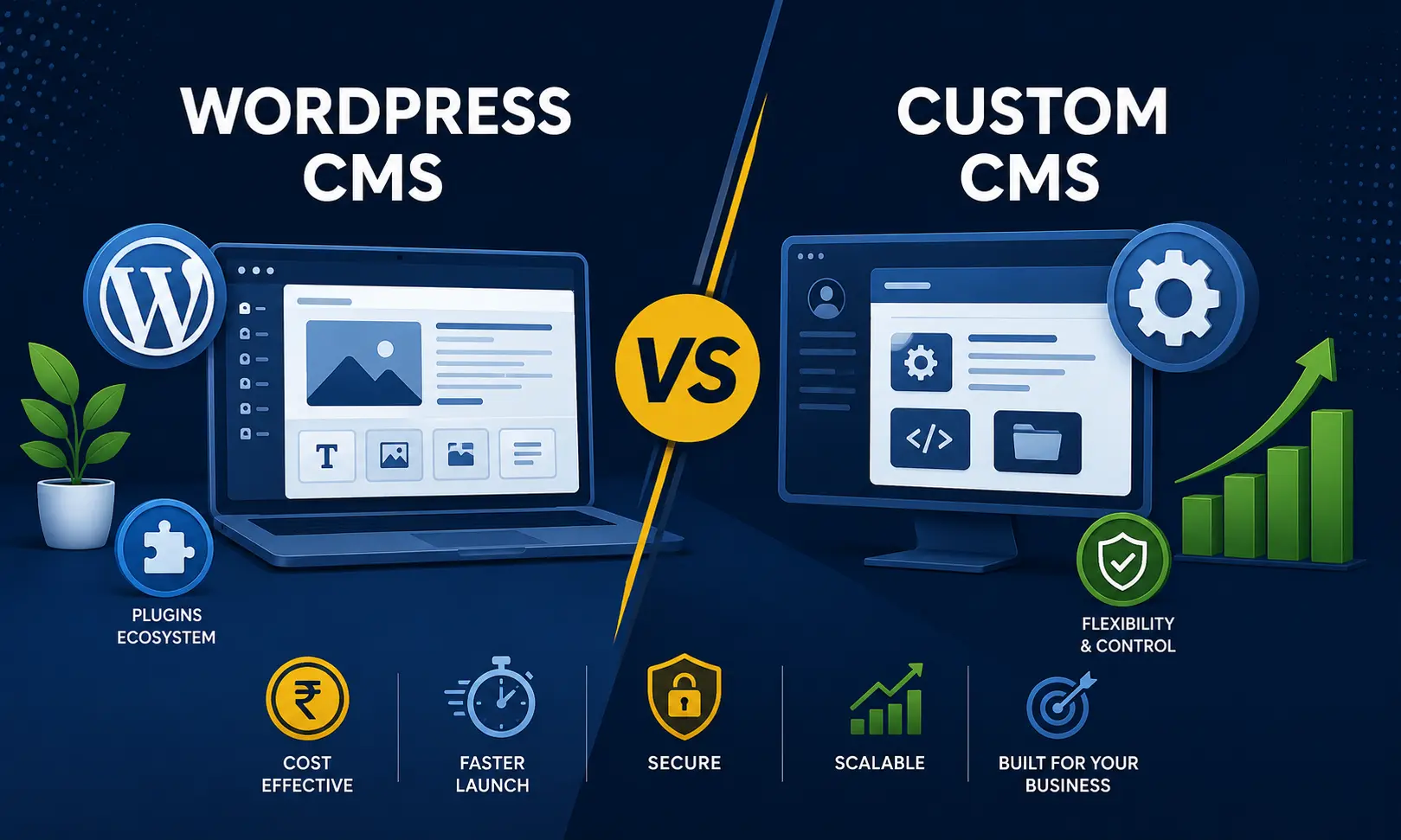
WordPress is widely known, easy to start with and supported by a huge ecosystem of themes and plugins. A Custom CMS, on the other hand, is developed around the specific requirements of a business. It can offer greater control over features, workflows, database structure and user permissions.
So, which one should you choose in 2026?
The honest answer is: there is no single winner.
The right choice depends on what your business actually needs.
A five-page company website and a large B2B portal should not be treated in the same way. Similarly, a startup with a limited budget may have very different priorities from an established company planning to build a highly specialised digital platform.
In this article, we compare WordPress CMS and Custom CMS from a practical business perspective.
What Is WordPress CMS?
WordPress is an open-source content management system that allows businesses to create and manage websites without building every feature from scratch.
It started primarily as a blogging platform but has grown into a widely used platform for business websites, blogs, news websites, service websites, online stores and many other projects.
One of the biggest advantages of WordPress is its ecosystem.
Businesses can choose from thousands of themes and plugins for functions such as contact forms, SEO, security, caching, analytics, eCommerce and more.
For a standard business website, this can significantly reduce development time.
What Is a Custom CMS?
A Custom CMS is a content management system developed specifically for a particular business or project.
Instead of adapting the business to an existing CMS, the development team builds the CMS around the business requirements.
For example, a company may need:
- Custom customer dashboards
- Multiple user roles and permissions
- Special approval workflows
- Custom enquiry management
- Internal employee modules
- Advanced reporting
- Complex product management
- Custom booking systems
- Integration with third-party APIs
- Special database structures
- Business-specific automation
These requirements may not fit neatly into a standard WordPress installation.
A Custom CMS gives the development team much more control over how these functions are designed and connected.
WordPress CMS vs Custom CMS: Quick Comparison
| Factor | WordPress CMS | Custom CMS |
|---|---|---|
| Initial Cost | Usually lower | Usually higher |
| Development Time | Faster | Longer |
| Customisation | High with plugins and development | Very high |
| Plugin Availability | Excellent | Not applicable |
| Security Control | Depends on setup and maintenance | Greater control over application architecture |
| Performance | Can be very good with proper setup | Can be highly optimised for the project |
| Maintenance | Plugins, themes and core need updates | Depends on development architecture |
| Scalability | Suitable for many projects | Well suited for highly specific requirements |
| Best For | Business websites, blogs, content websites and many eCommerce sites | Complex portals and specialised business applications |
1. Development Cost: Which Is More Affordable?
For most small and medium-sized businesses, budget is an important factor.
WordPress can be more economical because the basic CMS is free and developers can use existing themes, plugins and components.
For example, a company website with pages such as:
- Home
- About Us
- Services
- Portfolio
- Blog
- Contact Us
can usually be developed faster using WordPress.
A Custom CMS requires development of the administration system, database structure, user management and other required modules. This increases the initial development cost.
However, looking only at the starting price can be misleading.
A cheaper website is not always cheaper over five years.
If your business keeps adding complicated plugins, custom modifications and workarounds to WordPress, the project can become difficult to maintain.
The better question is:
What will the website need three to five years from now?
2. Development Time
WordPress has a major advantage when it comes to development speed.
A developer can install WordPress, configure the required theme, add necessary plugins and start building pages relatively quickly.
For a standard corporate website, this can save considerable development time.
Custom CMS development normally takes longer because the development team needs to build the required modules from the ground up.
The process may include:
- Requirement analysis
- Database planning
- Admin panel development
- User management
- Frontend development
- Backend development
- Testing
- Security checks
- Deployment
If your requirement is simple and your website needs to go live quickly, WordPress can be a sensible choice.
If the project has unusual business logic, spending more time during development may be worthwhile.
3. Website Security
Security is often discussed as if one CMS is automatically secure and another is automatically unsafe.
The reality is more complicated.
A WordPress website can be secure when it is properly configured, regularly updated and hosted on a suitable server.
But the use of multiple third-party plugins and themes can increase the number of components that need attention.
With a Custom CMS, the development team has greater control over the application's codebase and the features included in it.
That does not mean a Custom CMS is automatically secure.
Poorly written custom code can create serious security problems.
For either option, businesses should pay attention to:
- Strong passwords
- User permissions
- Secure hosting
- SSL
- Regular backups
- Software updates
- Server security
- Input validation
- Database security
- Login protection
- Monitoring and maintenance
Security is not a CMS button that you switch on once. It is an ongoing responsibility.
4. Performance and Website Speed
Website speed matters for both users and search engines.
WordPress can deliver excellent performance when it is properly developed and hosted.
However, problems may arise when a website accumulates unnecessary plugins, heavy themes, oversized images and poorly written third-party components.
A Custom CMS can be built with only the features the business requires.
This gives developers greater control over:
- Database queries
- Backend processing
- Page structure
- API requests
- Caching
- Asset loading
- Server configuration
But again, custom development does not automatically guarantee speed.
A badly developed Custom CMS can be slower than a well-developed WordPress website.
The quality of development matters more than the label.
5. SEO: WordPress or Custom CMS?
SEO is another area where businesses often expect a straightforward answer.
WordPress has a large ecosystem of SEO tools that can make tasks such as metadata management, XML sitemaps, redirects and content optimisation easier.
For content-heavy websites, this is particularly useful.
A Custom CMS can also be highly SEO-friendly, provided the development team builds the required SEO controls.
A good Custom CMS should allow administrators to manage things such as:
- Page title
- Meta description
- Canonical URL
- SEO-friendly URLs
- Image alt text
- XML sitemap
- Robots directives
- Schema markup
- Redirects
- Open Graph information
Therefore, the question should not simply be:
“Is WordPress better for SEO?”
The better question is:
“Does the CMS give me enough control over the SEO elements my website needs?”
6. Customisation
This is where Custom CMS development has a strong advantage.
With WordPress, almost anything can be modified through custom development, plugins and integrations.
But sometimes you end up adding one plugin after another to achieve a business requirement.
A Custom CMS starts from the opposite direction.
The development team first understands the business process and then builds the system around it.
For example, imagine a travel company that needs a specialised platform with:
- Destination management
- Package management
- Supplier management
- Customer enquiries
- Agent login
- Commission calculation
- Booking management
- Payment integration
- Custom reports
This is more than a basic website.
It is a business application.
In such cases, a Custom CMS can make more sense than forcing the entire workflow into a collection of WordPress plugins.
7. Maintenance and Updates
WordPress requires regular attention.
Businesses need to keep the WordPress core, themes and plugins updated. Compatibility should also be checked before major updates.
Custom CMS maintenance works differently.
There may not be dozens of third-party plugins to update, but the application still needs technical maintenance.
This may include:
- PHP version upgrades
- Server updates
- Database optimisation
- Security patches
- Bug fixes
- Feature enhancements
- Backup management
- Performance improvements
So, neither option is completely maintenance-free.
The difference is what you are maintaining.
With WordPress, you are maintaining a platform plus its extensions.
With a Custom CMS, you are maintaining your own application.
8. Scalability
A simple website today may become a much larger platform tomorrow.
WordPress can scale surprisingly well when the architecture, hosting, database and code are properly planned.
Many businesses can run successfully on WordPress for years without needing to move to another CMS.
However, when a project develops highly specific workflows, complicated permissions, large data operations or application-like functionality, Custom CMS development can offer more control.
For example, a business portal with thousands of users, multiple dashboards, custom reporting and complex internal workflows may benefit from a dedicated architecture.
The important point is to plan for realistic growth rather than paying for complexity that your business may never need.
9. Plugin Dependency
Plugins are one of WordPress's biggest strengths.
They can add functionality quickly.
Need a contact form? There is a plugin.
Need SEO functionality? There are plugins.
Need an online store? There are established solutions.
Need a booking system? There are several options.
This convenience is useful, but excessive dependency can become a problem.
A website with too many plugins may become harder to troubleshoot, update and optimise.
A Custom CMS avoids this type of plugin dependency because required functions are developed directly into the application.
That can result in a cleaner project structure, especially for specialised systems.
10. Admin Panel and User Roles
WordPress provides standard user roles such as administrator, editor, author and other configurable permissions.
For many businesses, that is sufficient.
But some organisations require a more elaborate permission structure.
For example:
Super Admin → Regional Manager → Branch Manager → Sales Executive → Customer
Each role may need different access to different sections.
A Custom CMS can be designed around these exact requirements.
This is particularly useful for companies building internal systems, dealer portals, employee portals, education platforms, travel systems and other business-specific applications.
11. Ownership and Long-Term Control
With WordPress, the core platform is open source, which is a major advantage.
However, a website may depend on a particular theme, plugins, hosting environment or developer-created customisations.
A Custom CMS gives the business direct ownership of its project-specific application code, subject to the terms agreed with the development company.
For businesses planning to keep the same platform for many years, it is worth discussing:
- Source code ownership
- Database ownership
- Hosting access
- Backup access
- Documentation
- Third-party licences
- Maintenance responsibility
These points should be clear before development starts.
When Should You Choose WordPress CMS?
WordPress can be a good choice if you need:
- A corporate website
- A service-based business website
- A blog or content website
- A portfolio website
- A small business website
- A news or publishing website
- A marketing website
- A basic eCommerce website
- A website that needs frequent content updates
If your primary goal is to present your company, services, products and content online, WordPress may be more than enough.
When Should You Choose Custom CMS?
A Custom CMS may be a better fit when you need:
- A complex business portal
- Multiple dashboards
- Special user roles
- Custom workflows
- Advanced booking systems
- Custom CRM functionality
- Dealer or partner portals
- Employee management systems
- Complex product management
- Large-scale data processing
- Special API integrations
- Business-specific reporting
If the website is actually becoming a software application, Custom CMS development deserves serious consideration.
WordPress vs Custom CMS: Which One Should Your Business Choose?
Here is a simple way to look at it.
Choose WordPress if:
Your website is primarily content-driven, you need a faster launch, your requirements are relatively standard and you want access to a mature ecosystem of themes and plugins.
Choose Custom CMS if:
Your website has specialised business logic, complex workflows, multiple user types, unusual data requirements or features that do not fit comfortably into an existing CMS.
There is also a third option.
You can start with WordPress and move towards custom development when your business requirements become more demanding.
However, this should be planned carefully. Moving a mature website from one platform to another can involve data migration, URL mapping, SEO considerations, design redevelopment and testing.
What About Cost in India?
The cost of a website in India can vary widely depending on the project.
A basic WordPress business website may cost considerably less than a Custom CMS because development time is lower and existing components can be reused.
Custom CMS projects usually require more planning, development and testing.
The final price depends on factors such as:
- Number of pages
- Design complexity
- Admin modules
- User roles
- Database requirements
- API integrations
- Payment gateway integration
- Third-party services
- Custom reports
- Security requirements
- Hosting environment
- Maintenance requirements
Instead of asking only, “How much does a website cost?”, businesses should ask:
“What exactly am I getting for the development cost?”
That question usually gives a much clearer picture.
A Practical Example
Suppose a Bangalore-based interior design company wants a website to showcase its projects, services, testimonials and contact details.
A WordPress website could be a sensible choice.
Now imagine the same company wants a complete platform where customers can:
- Register
- Select interior packages
- Upload floor plans
- Track project progress
- Receive quotations
- Approve designs
- Make payments
- Communicate with project managers
- Download project documents
This is no longer just a marketing website.
It has become a business platform.
In that situation, a Custom CMS or custom web application could be a stronger technical choice.
The Biggest Mistake Businesses Make
One common mistake is choosing a technology simply because it is popular.
Another is choosing a Custom CMS just because it sounds more advanced.
Neither approach is ideal.
The technology should follow the business requirement.
If WordPress can handle your requirements cleanly, there may be little reason to spend extra money building a CMS from scratch.
If your business needs specialised workflows that are difficult to manage through WordPress, trying to force everything into WordPress may create unnecessary complexity later.
Final Verdict: WordPress CMS or Custom CMS?
For most standard business websites, WordPress remains a practical and cost-effective choice in 2026.
It is especially suitable when the website is content-focused and the business wants a faster development cycle.
For complex portals and software-like websites, Custom CMS development can provide greater control over the application's architecture, workflows and business logic.
So, there is no universal winner.
The real winner is the CMS that fits your business without creating unnecessary technical baggage.
Before selecting a platform, list your current requirements, expected growth, budget, integrations and future features.
Then choose the technology.
Not the trend.
Need Help Choosing the Right CMS?
If you are planning a new business website, portal or custom web application in Bangalore, the first step should be understanding your actual requirements.
W3 Dream Solutions provides website design, website development and custom web development services for businesses in Bangalore and across India.
Whether you are considering WordPress or Custom CMS development, the right approach is to first understand the project scope and then select the technology that makes commercial and technical sense.
Location: Bangalore, Karnataka, India
Other Blogs
Subscribe
Get the latest blog updates directly in your inbox.